Oracle Method - Part 4
Create Function and Menu
Note
The APEX pages are accessed through EBS navigation menu entries (Form Functions).
These Functions can be created in OA Framework pages, or traditional Function Form.
Go back to the EBS side. Set the profile option
FND: APEX URLtohttps://[EBS URL]:8443/ords/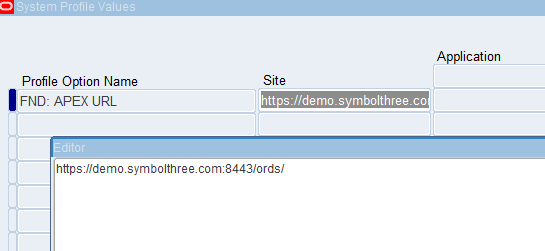
In the APEX application created in Part 3, there are 5 pages that can be accessed directly, and 1 page is modal dialog :
| Page ID | Name | Alias | Type |
|---|---|---|---|
| 1 | Home | - | Home |
| 2 | Update Email – Without Responsibility | update-email-without-responsibility | Dynamic Form |
| 3 | Update Email – Using Responsibility | update-email-using-responsibility | Dynamic Form |
| 4 | Customer Locations | customer-locations | Faceted Search |
| 6 | Add/Edit User | add-edit-user | DML Form (modal) |
| 9 | Employees | employees | Faceted Search |
In the latest EBS patch, the
Menu FunctionOA framework page has changed to incorporate the creation of APEX menu items. You can find this function in Responsibilities (can by found in user SYSADMIN)Function Administrator
Function Developer
Under
Core Services->Function
To create the entry for the Page 1 - Home (which have links to other pages):
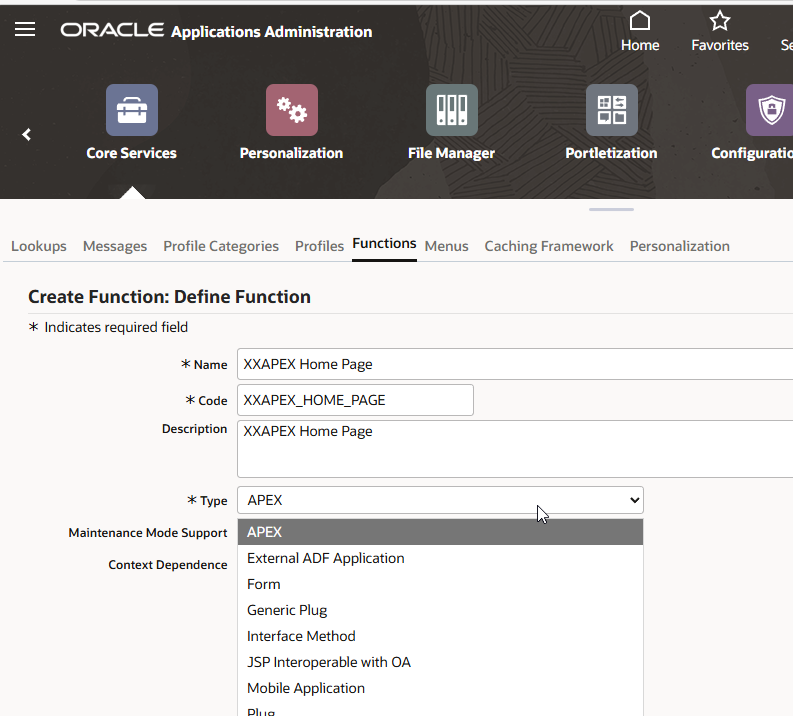
Enter Name, Code, and Description. Select Type
APEX. This option is only available if APEX is installed on the EBS database.Click
Continueto see the next part (The UI elements depend on what type you have selected).
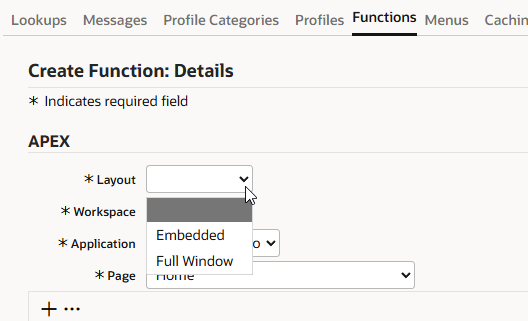
There are 2 type of Layouts you can choose:
Full Window- The complete APEX page will be shown in full. The browser URL is changed to APEX full URLEmbedded- The EBS navigation bar and footer are retained and the APEX page is shown inside the EBS page. The browser URL is still using EBS URL.
Because the type is
AEPX, the APEX workspace and page info are shown. Select theHomepage.
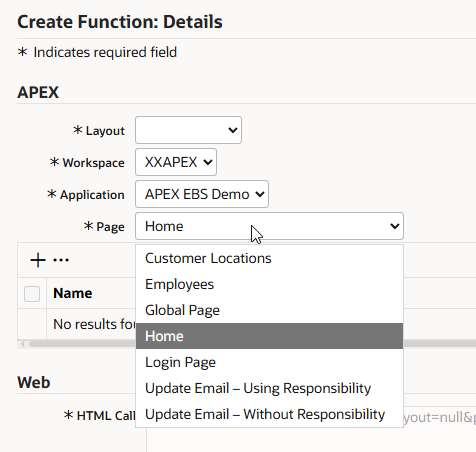
The HTML call will become:
Full Window Layout:
GWY.jsp?targetAppType=APEX&apexLayout=FULLWINDOW&p=100:1Embedded Layout:
GWY.jsp?targetAppType=APEX&apexLayout=EMBEDDED&p=100:1
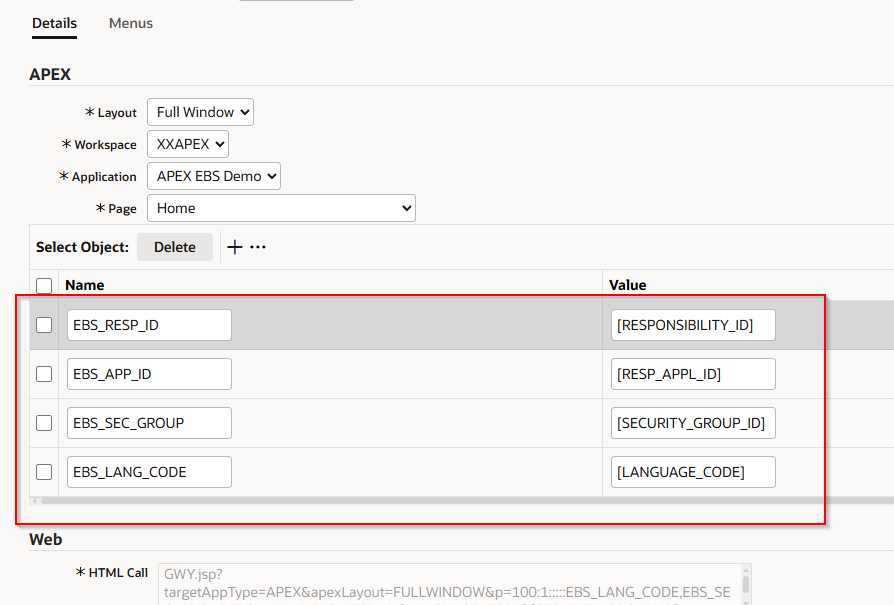
Add 4 name-value pairs. The values must be enclosed by
[]. Their value will be set based on the applications context of the authenticated user at runtime.
| Name | Value |
|---|---|
| EBS_RESP_ID | [RESPONSIBILITY_ID] |
| EBS_APP_ID | [RESP_APPL_ID] |
| EBS_SEC_GROUP | [SECURITY_GROUP_ID] |
| EBS_LANG_CODE | [LANGUAGE_CODE] |
Then the HTML call will become
GWY.jsp?targetAppType=APEX&apexLayout=FULLWINDOW&p=100:1:::::EBS_LANG_CODE,EBS_SEC_GROUP,EBS_APP_ID,EBS_RESP_ID:[LANGUAGE_CODE],[SECURITY_GROUP_ID],[RESP_APPL_ID],[RESPONSIBILITY_ID]
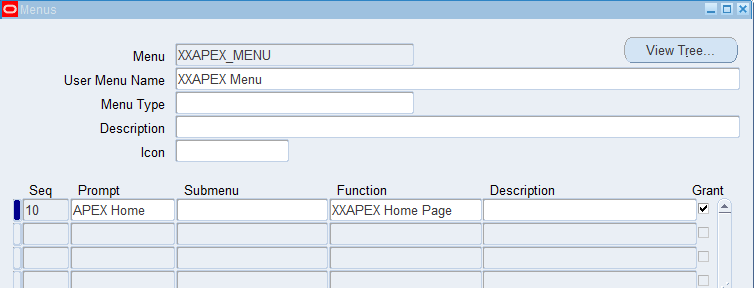
Attach this Function to a Menu so that it can be accessed.
A new Menu
XXAPEX_MNENUis created and this Function is added to it.
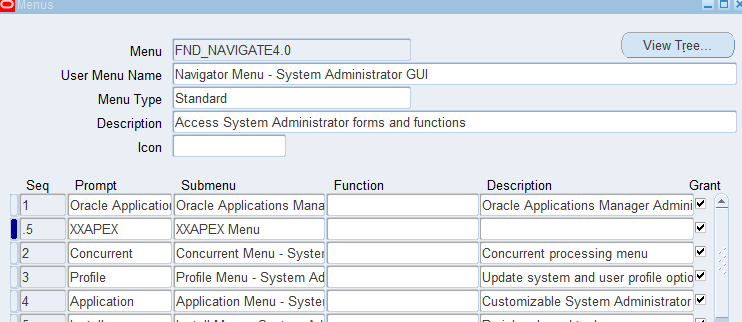
Add this Menu under an existence Menu
FND_NAVIGATOR4.0, which is used by System Administrator Responsibility.
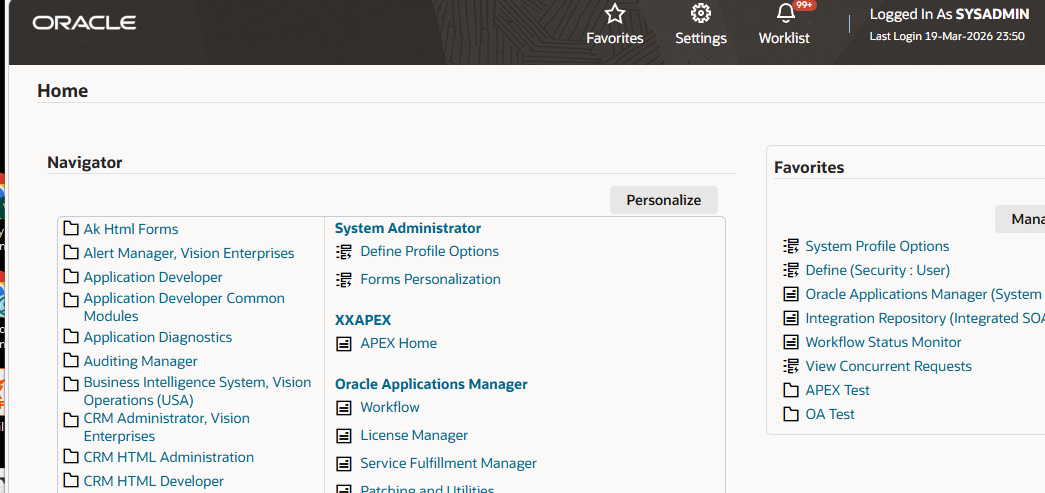
This Menu entry is shown in the navigator and ready to use.
| Table of Content | Next |
| Home | Repositories | Blog |
© 2026 by Christopher Ho. All Rights Reserved