Oracle E-Business Suite 12.2.15 Installation on Windows
Jar Signing for In‐House Oracle EBS R12.2 Instance
You need a certificate to sign all the jar files used in Oracle Form (the jar-signing certificate, or
jar certfor short in this document)This jar cert is issued by a Certificate Authority (CA)
This CA must be trustworthy -- A well-known company, or it's your own company
Before diving deep into the details, let's get thses 2 free programs first:
Key Explorer (https://keystore-explorer.org/). The latest version requires JRE11
XCA - Certificate and Key Management (https://hohnstaedt.de/xca). Download version 2.4 or lower if you want to use it in Windows 2008/2012.
So, let's start from the beginning.
This jar cert is stored in a keystore file, locked by a password, which is called
keypass.To protect this keystore file, we lock it with a password, which is called
storepass.The filename of this keystore file is
adkeystore.dat. It is located in%APPL_TOP_NE%\ad\admin(or%APPL_TOP%\ad\adminfor 12.2.0 fresh install) .The original jar cert
appltop.cer, is generated during Oracle EBS 12.2.0 installation, It is added to the keystore file, using the entry name (alias) in[INSTANCE]_[hostnmame]format.The default storepass is
puneet, keypass ismyxuan.Use Key Explorer to open the
adkeystore.datfile with this storepass. Then you can unlock the certificate with this keypass.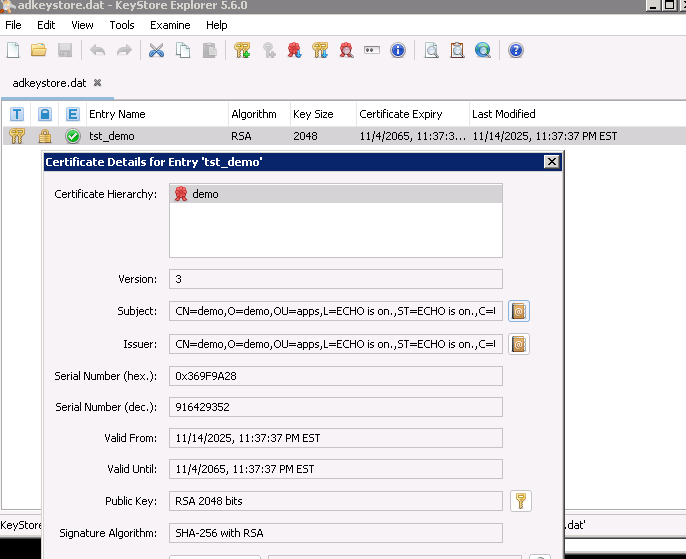
For our case, the hostname is
demoand the instance name isTST.You can see that the Subject and Issuer are the same. It's because this certificate is self-signed, i.e. CA and certificate are the same.
For EBS, it always comes with another file called
adsign.txt. This file tells the Jar signing program to use which entry in the keystore, since the keystore could contain multiple certificates (CA root cert and intermediate cert). The format of this one-line file is:xxxxxxxxxxTST_demo 1 CUSTThe first is the alias name, then number 1, and a word
CUST.
Now you cannot use self-signed certificate anymore since modern JRE will not accept this security risk whatsoever.
There are 2 ways to create a valid keystore:
take a valid copy from your company EBS instance
create your own CA and sign the jar cert.
Method 1
As a developer, you should have the OS-level access of the app server of the development instance in your company. Take a copy the files
%APPL_TOP_NE%\ad\admin\adkeystore.dat%APPL_TOP_NE%\ad\admin\adsign.txt
To get the storepass and keypass, run this SQL from your instance as APPS:
xxxxxxxxxxset serveroutput ondeclarep_storepass varchar2(100);p_keypass varchar2(100);beginad_jar.get_jripasswords(p_storepass, p_keypass);dbms_output.put_line('storepass=[' || p_storepass || ']');dbms_output.put_line('keypass=[' || p_keypass || ']');end;/Then you will able to know these keys, e.g.
xxxxxxxxxxstorepass=[puneet]keypass=[myxuan]Now replace these 2 files in your in-house environment. Check the file
adsign.txtto find out the alias name.Run the
adjsscommand to store the new storepass and keypass in the DB:
xxxxxxxxxxadjss -mode KEYSTORE ^-keystore %APPL_TOP_NE%\ad\admin\adkeystore.dat ^-alias [alias name] ^ <-- the alias as in adsign.txt-sigfile CUST
You will be asked to enter the storepass and keypass.
Run
adjss -verifyto verify the data is correct.Run
adadmin -> 1. Generate Applications Files menu -> 4. Generate product JAR files. Then force regenerate all jars files using this new certificate.Log on EBS again and open any Form. You will be prompted to accept this new cert and then new jar files are downloaded. Form will be opened as before.
Method 2
Start
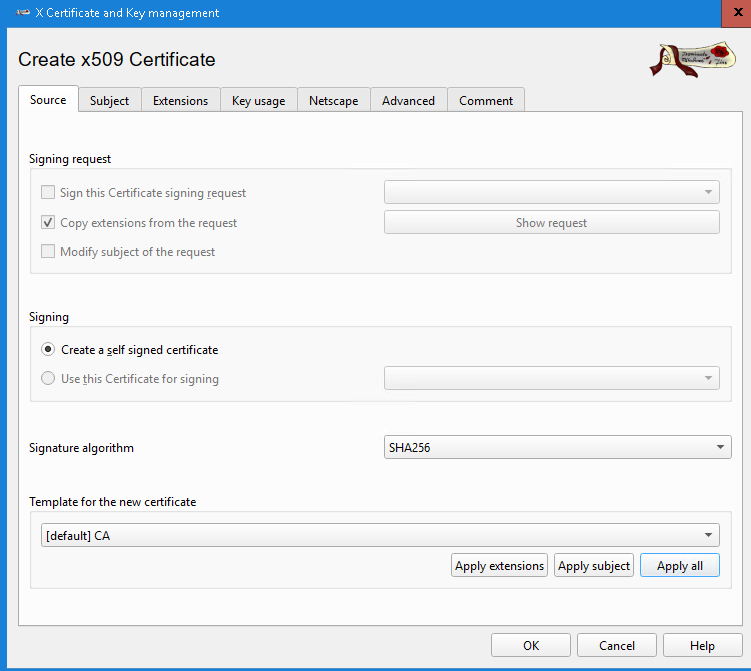
X Certificate and Key Management(XCA). Create a new database.In Certificate tab, click
New CertificateIn Source tab, select
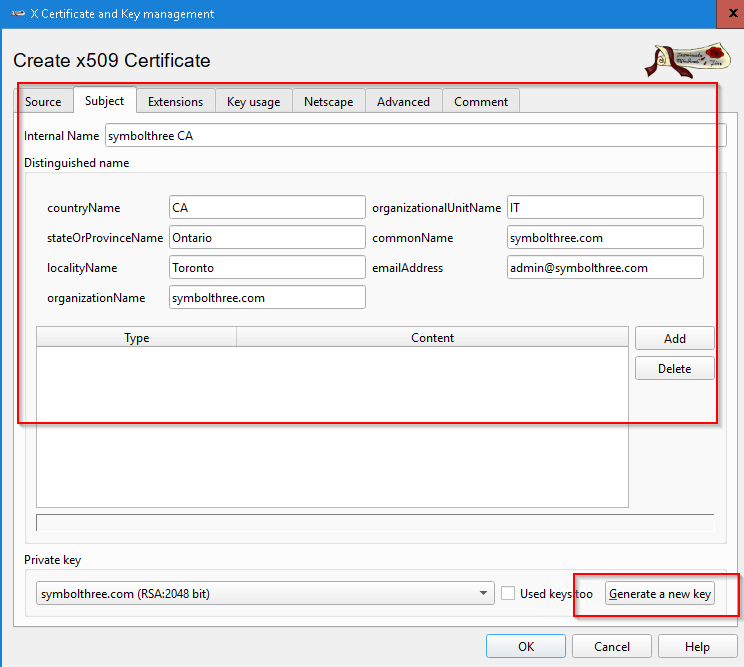
[default] CATemplate and apply allIn Subject tab, fill in the internal name and Distinguished Name data
Generate a new private key
In Extension tab, make this CA valid for at least 10 years
Click "OK" to create this Certifcate Authority certificate
In Certificate Signing Requests tab, click
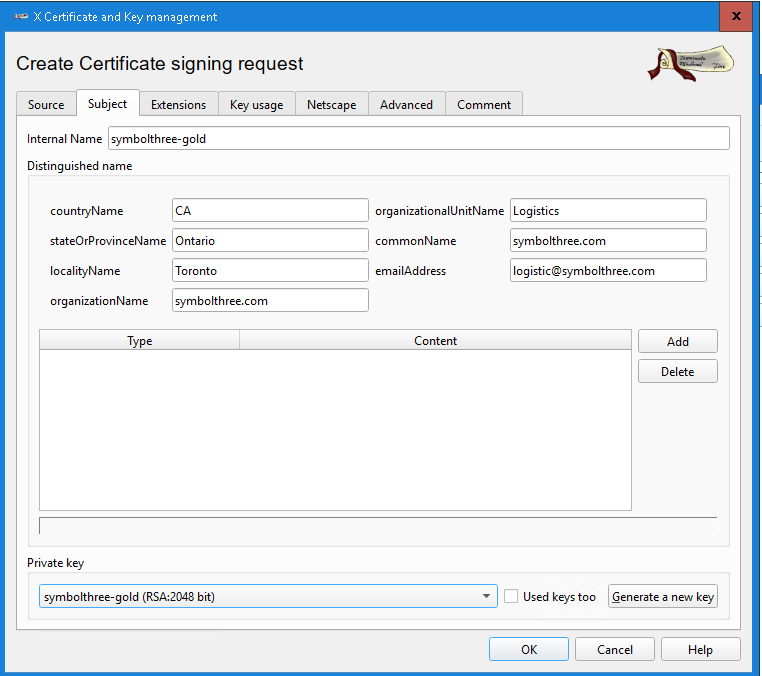
New RequestIn Source tab, select
[default] TLS-clientTemplate and apply allIn Subject tab, fill in the internal name and Distinguished Name data
In the Extension tab, select
End EntityTypeIn the Key Usage tab, select
Digital SignatureandCode SigningClick "OK" to create this CSR
Return to Certificate Signing Requests tab
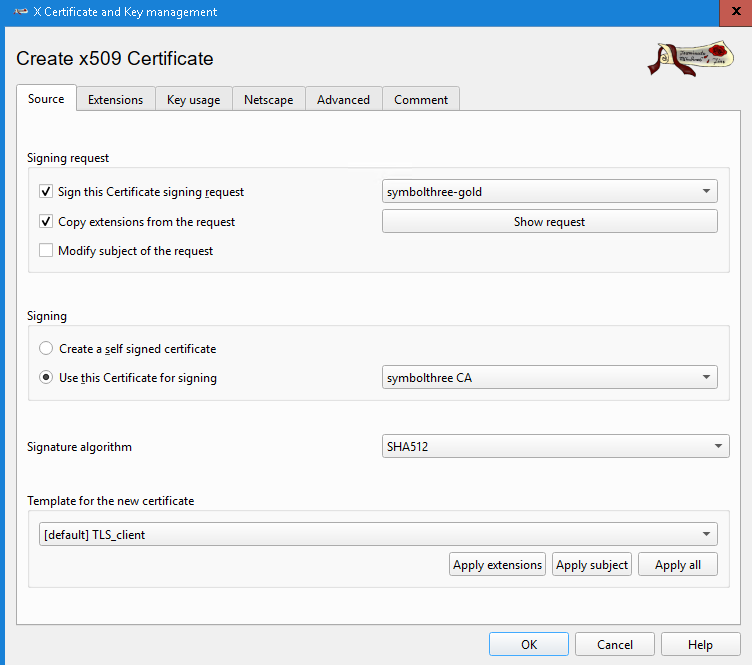
Select this CSR just created. Right click and select
signMake sure you select the CA Certificat for signing
In Extension tab, make this cert valid for 5 years
Click "OK" to sign this CSR
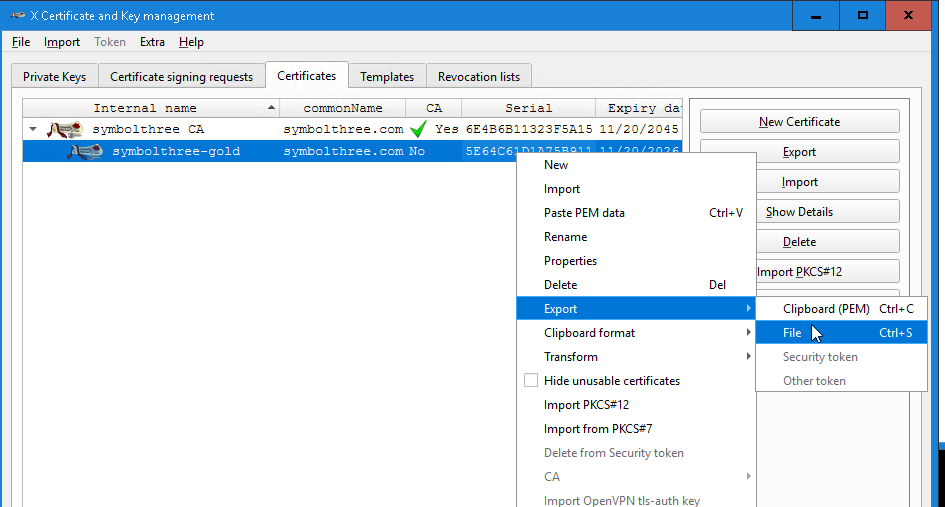
In Certificate tab, you will see the certificate chain that we just created
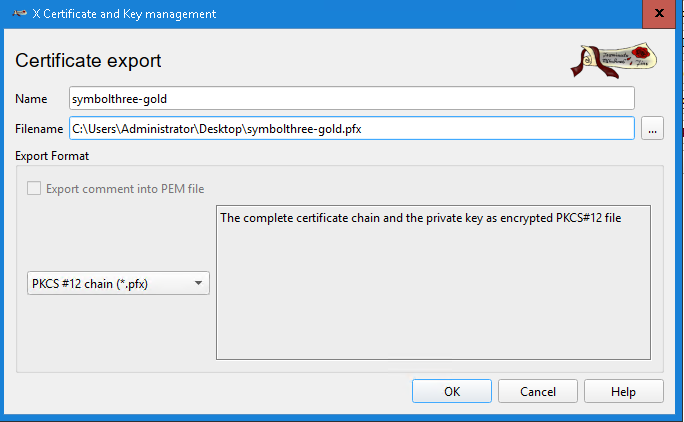
Select the new certificate, click
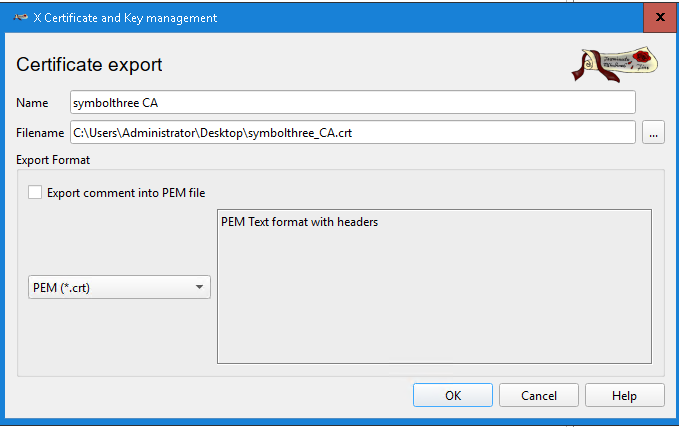
Export, and save it asPKCS#12 chain (*pfx)formatSelect the CA certificate, click
Export, and save it asPEM (*crt)format
Start Key Explorer. Open the original ketystore file
%APPL_TOP_NE%\ad\admin\adkeystore.dat. It should contain the self-signed certificate during installation.Tools -> Import Key Pair. Select
PKCS#12. Select the certificate chain file we just created. Provide the password to import this chain. Set the alias to a lowercase ASCII-only name. This is thejar cert.Tools -> Import Trust Certificate. Select the crt file for the CA certificate. Set the alias to a lowercase ASCII-only name.
Save the keystore file. Make sure you know the keypass and storepass.
Edit the file
%APPL_TOP_NE%\ad\admin\adsign.txt. Change the alias name to the one you used for thejar cert.Run
adjsscommand to update the keypass and storepass stored in DB:xxxxxxxxxxadjss -mode KEYSTORE ^-keystore %APPL_TOP_NE%\ad\admin\adkeystore.dat ^-alias [alias name] ^ <-- the alias as in adsign.txt-sigfile CUSTAdd our CA certificate to the JRE. The JAR signing will fail if we don't let the JRE to know that this cert is reliable. The keystore file are:
xxxxxxxxxx%COMMON_TOP%\util\jdk64\jre\lib\security\cacerts%COMMON_TOP%\util\jdk32\jre\lib\security\cacertsUse Key Explorer to open
cacerts, import -> trust certificate. Select the CA cert file and set the same alias as you used inadkeystore.dat.
Run
adadmin -> 1. Generate Applications Files menu -> 4. Generate product JAR files. Then force regenerate all jars files using this new certificate.We're using a in-house CA, so the JRE used by EBS users does not recognize nor trust this CA. So for all client desktop, you need to import this in-house CA certificate to the JRE.
The keystore file is in
C:\Program Files\Java\jre_<version>\lib\security\cacertsSimilarly, you can use Key Explorer to import the CA cert, you can run this command for automatic deployment:
xxxxxxxxxxkeytool ^-importcert ^-alias <your CA alias> ^-file <full path of the CA crt file> ^-keystore C:\Program Files\Java\jre_<version>\lib\security\cacerts ^-trustcacertsThe default storepass is empty or
changeit.
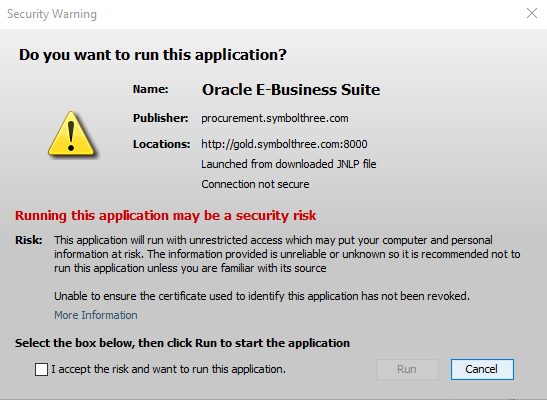
When you launch the Form for the first time, you will see this security warning. Accept the risk and you will not see anymore warning in the next time.
| Table of Content | Next |
| Home | Repositories | Blog |
© 2026 by Christopher Ho. All Rights Reserved