3. Fusion Applications Installation ‐ Part 2
Important
Now we're going to start the final provisioning step, the most time-consuming and CPU/memory intensive procedure.
In order to by-pass the pre-requisite checking, some requirements are needed to be changed inside the Ant script:
/oracle/prov/provisioning/provisioning-build/fs-build.xml
xxxxxxxxxxFrom<validateFileSystem path="${provisioning.setup.common.core.default.home.top}"spaceRequiredInMb="${provisioning.setup.common.core.disk.space.required.in.mb}" />To<validateFileSystem path="${provisioning.setup.common.core.default.home.top}" spaceRequiredInMb="0" />
/oracle/prov/provisioning/provisioning-build/common-preverify-build.xml
xxxxxxxxxxFrom<validateFileSystem path="${provisioning.setup.common.core.default.local.domain.home.top}"spacerequiredinmb="${provisioning.setup.common.core.local.domain.disk.space.required.in.mb}"/>To<validateFileSystem path="${provisioning.setup.common.core.default.local.domain.home.top}" spacerequiredinmb="0"/>
Change the attribute value of
spacerequiredinmbStart the provisioning wizard again, and select the provisioning response file just created:
xxxxxxxxxxcd /oracle/prov/provisioning/bin./provisioningWizard.sh -ignoreSysPrereqs true &
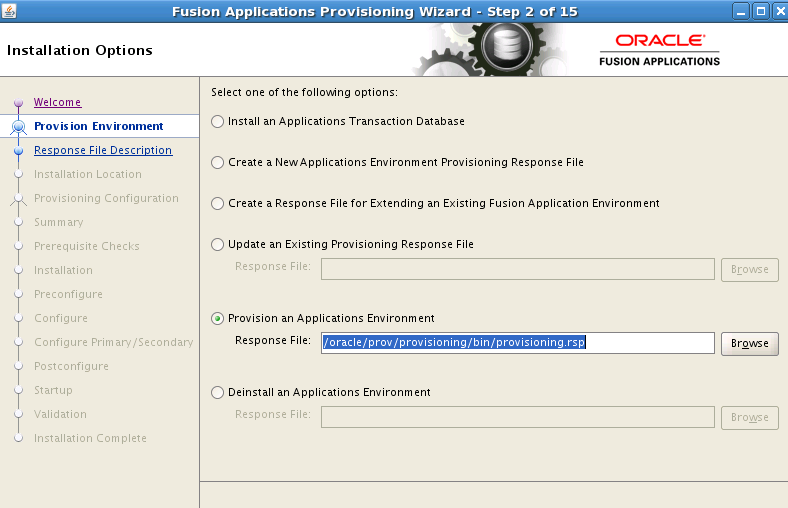
Keep going to the
Prerequisite Checkscreen, click "Next" to start the installation process.
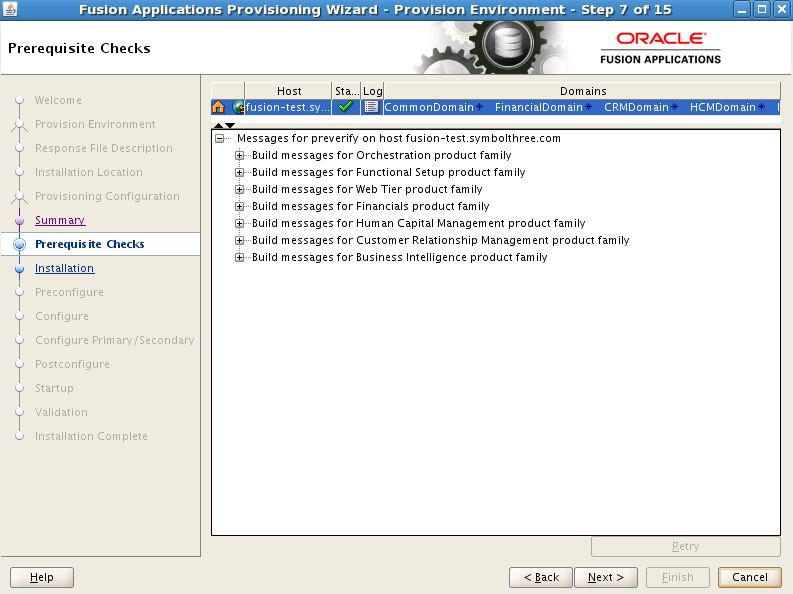
For any stage, the progress can be found in the output file:
tail -f /oracle/fusion/logs/provisioning/planXXXXXX/[hostname]/runProvisioning-[stage].out
The entire provisioning have 7 stages, and for FAH configuration, this is the time breakdown in my environment:
| Stage | Time |
|---|---|
| Installation | 65 mins |
| Preconfigure | 41 mins |
| Configure | 145 mins |
| Configure Primary / Secondary | 8 mins |
| Postconfigure | 95 mins |
| Startup | 21 mins |
| Validation | 5 mins |
| TOTAL | 380 mins (~ 6 hrs) |
In the validation stage, you could see this error:
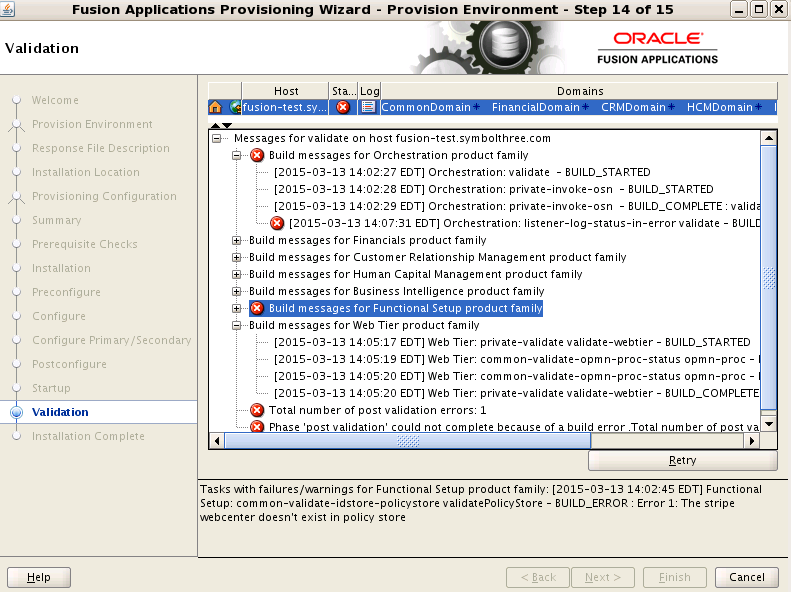
xxxxxxxxxxTasks with failures/warnings for Functional Setup product family: [2015-03-13 14:02:45 EDT] Functional Setup: common-validate-idstore-policystore validatePolicyStore - BUILD_ERROR : Error 1: The stripe webcenter doesn't exist in policy store
This is a known false alarm. So to ignore this validation errors, you can make this change and then the
Nextbutton will become enabled:
xxxxxxxxxxcd /oracle/fusion/provisioning/phaseguards/rm validate-[hostname]-FAILED.grdtouch validate-[hostname]-ENDED.grdtouch validate-[hostname]-COMPLETED.grd
Finally you can see the
Installation Completescreen. Hurray ! You make it !
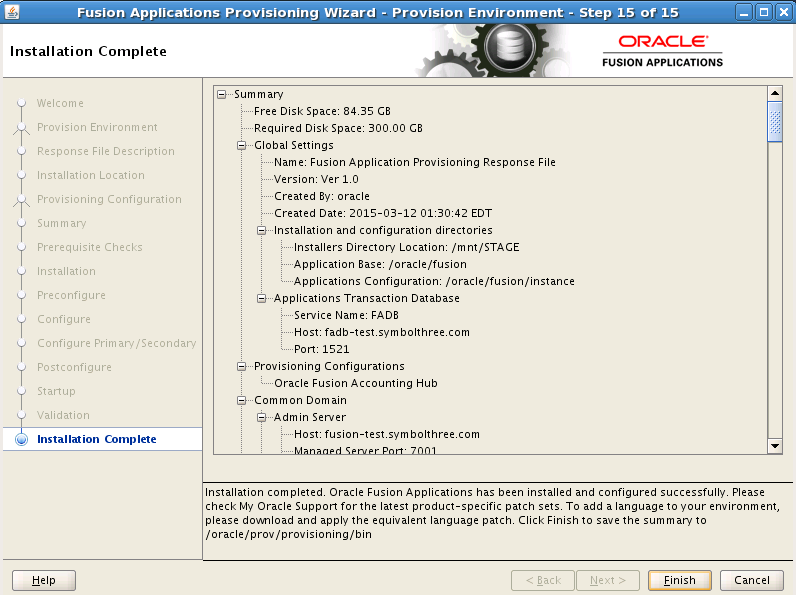
But, to ensure it's really working, we need to at least log on to the application and see whether it's running fine. The home page URL is
https://[hostname]:10614/homePage/
It will redirect to OAM single sign-on page. The default administrator user is
FAADMIN, passwordWelcome1.
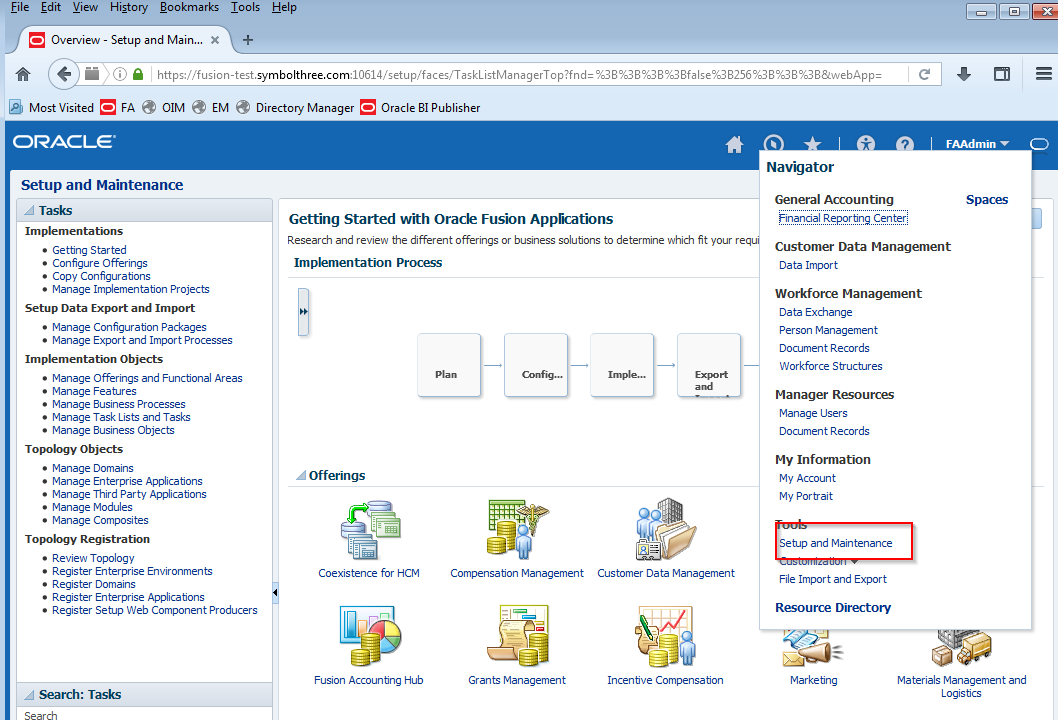
Goto Navigator -> Setup & Maintenance. In there, you can start your configuration now.
| Table of Content | Next |
| Home | Repositories | Blog |
© 2026 by Christopher Ho. All Rights Reserved