Integrate Oracle E-Business Suite Release 12.2 With Oracle APEX
APEX2EBS - Part 3
Create Workspace
Log on to workspace
APEX2EBS, using the admin user and password as specified in Part 2.Go to App Builder, and click "Import"
Drop and Drop the file
7-APEX2EBS-CORE.SQL, click "Next"In the
Install Applicationscreen, for option "Install As Application", select "Reuse Application ID 101 From Imported Application". Click "Install Application", then click "Run Application".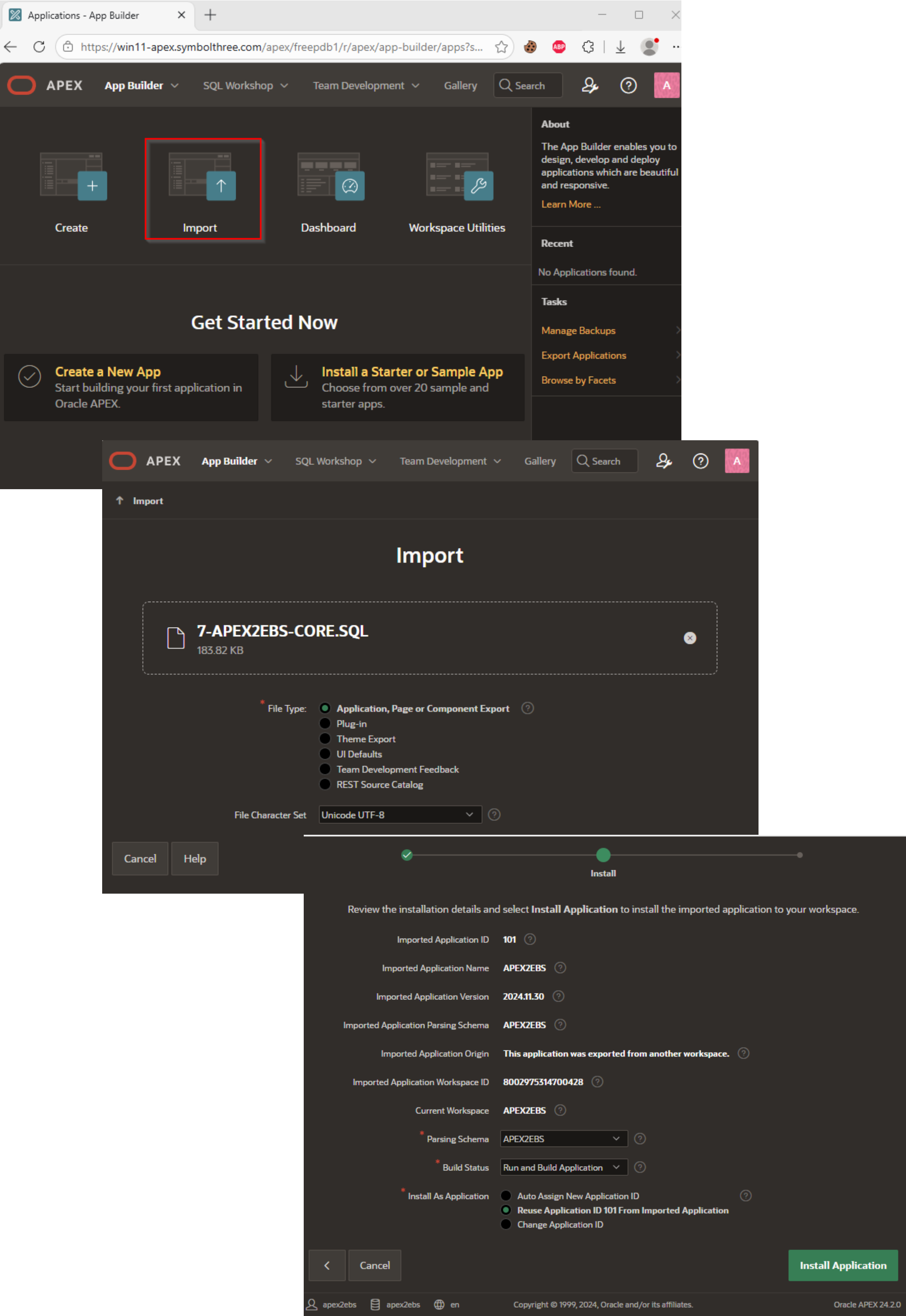
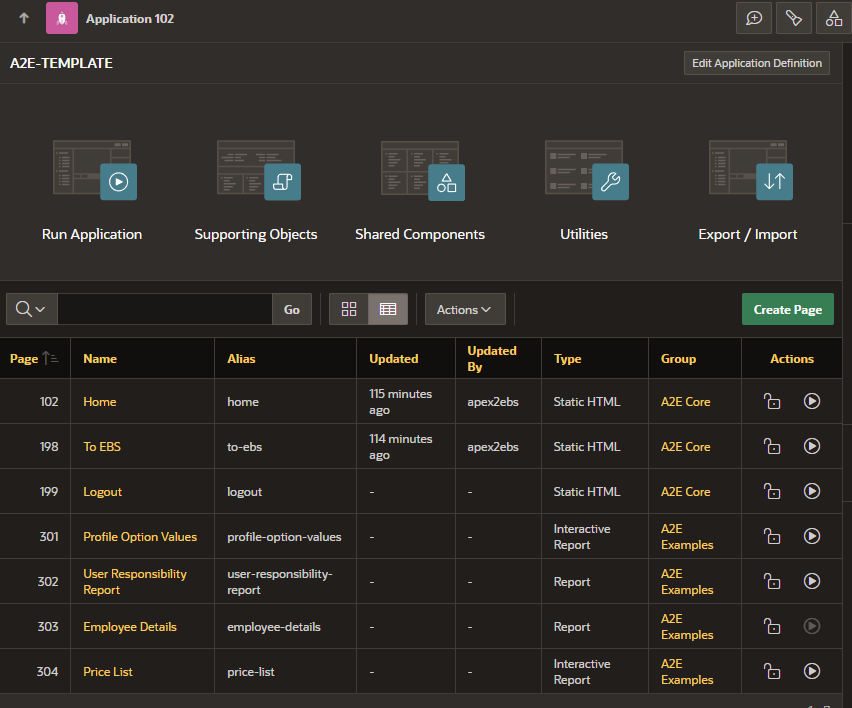
Repeat the same steps to import the file
8-APEX2EBS-TEMPLATE.SQL. This template appA2E-TEMPLATEis the boilerplate of creating other custom pages. This app also contains example pages for testing purpose (Page ID > 300).
| Table of Content | Next |
| Home | Repositories | Blog |
© 2026 by Christopher Ho. All Rights Reserved