Integrate Oracle E-Business Suite Release 12.2 With Oracle APEX
APEX2EBS - Part 4
Run APEX2EBS setup
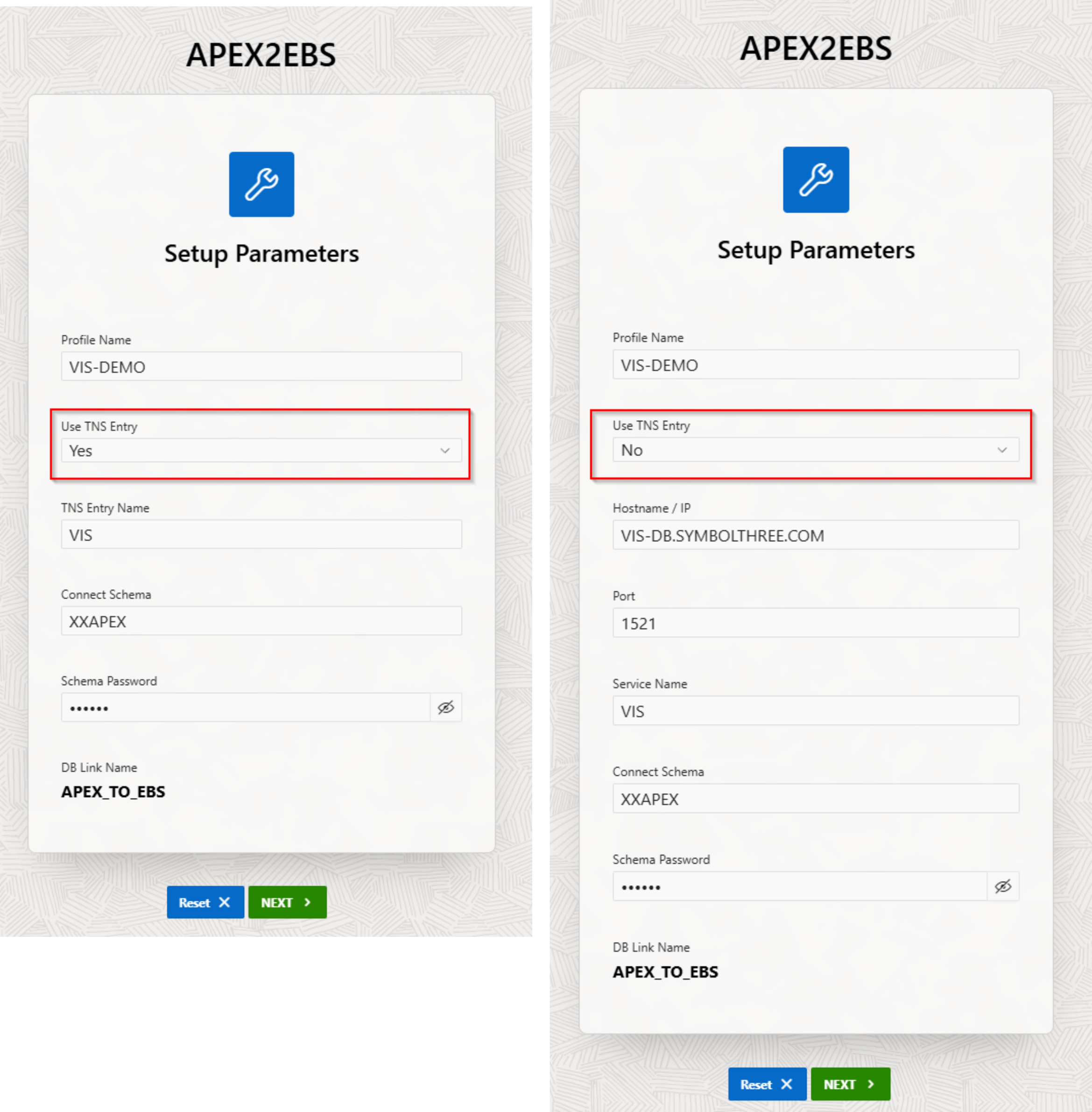
Open the APEX2EBS URL and it will go to the Setup page. Fill in the info and click
Next.
| Parameter | Description |
|---|---|
| Profile Name | A descriptive name about this configuration (e.g. PROD, UAT, DEV) |
| Use TNS Entry | "Yes" - The DB link will use the TNS entry for EBS DB connection. "No" - Connection info will be shown |
| TNS Entry Name | Shown when "Use TNS Entry" = "Yes". This entry must be present in the tnsname.ora of the APEX server. |
| Hostname / IP | Shown when "Use TNS Entry" = "No" |
| Port | Shown when "Use TNS Entry" = "No" |
| Service Name | Shown when "Use TNS Entry" = "No" |
| Connect Schema | EBS connecting schema. It should be APPS or the custom schema, which you choose in Part 1 |
| Schema Password | The password of this schema user. |
A database link
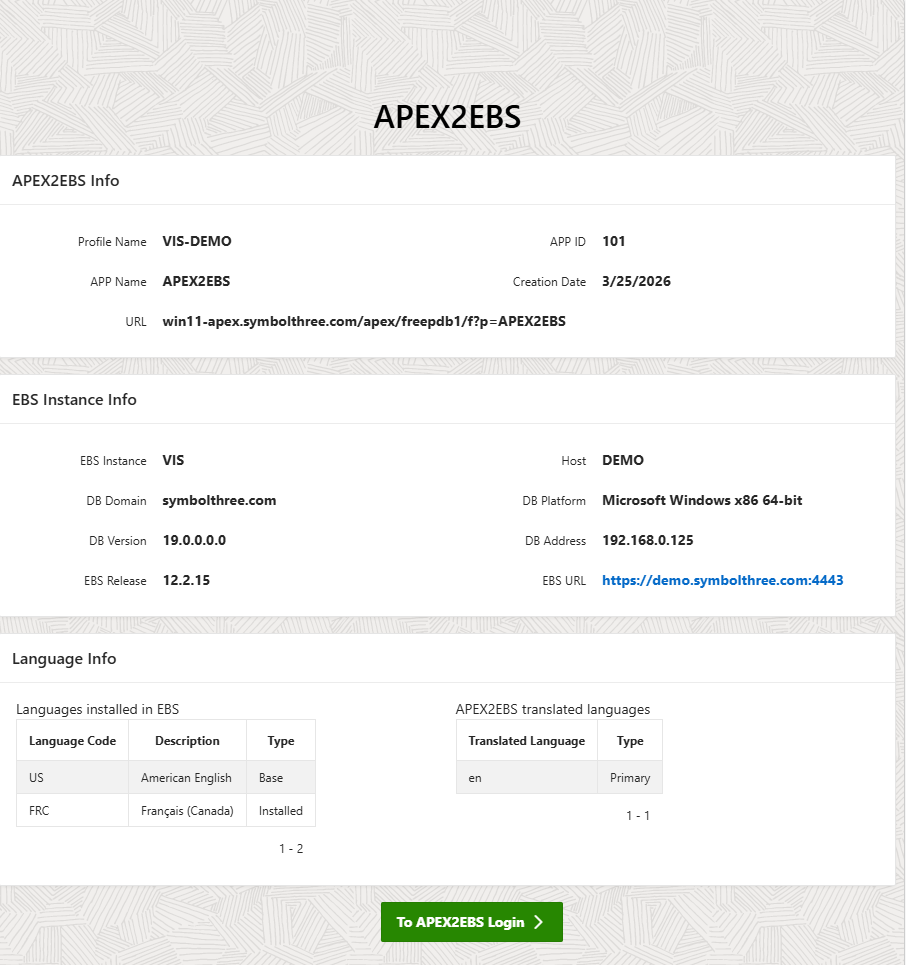
APEX_TO_EBSwill be created, and the packageAPEX2EBS_PKGis recompiled. Using this DB link the EBS information will be collected, as shown in the next screen.
| Table of Content | Next |
| Home | Repositories | Blog |
© 2026 by Christopher Ho. All Rights Reserved