Integrate Oracle E-Business Suite Release 12.2 With Oracle APEX
APEX2EBS - Part 5
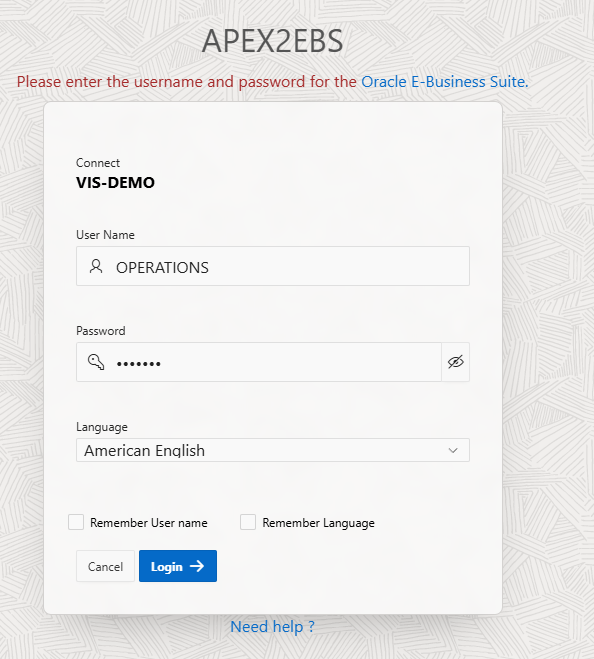
Log on to APEX2EBS
When the initial setup is finished, the default URL will be the login page.
Enter the same username/password for that EBS instance it connected to.
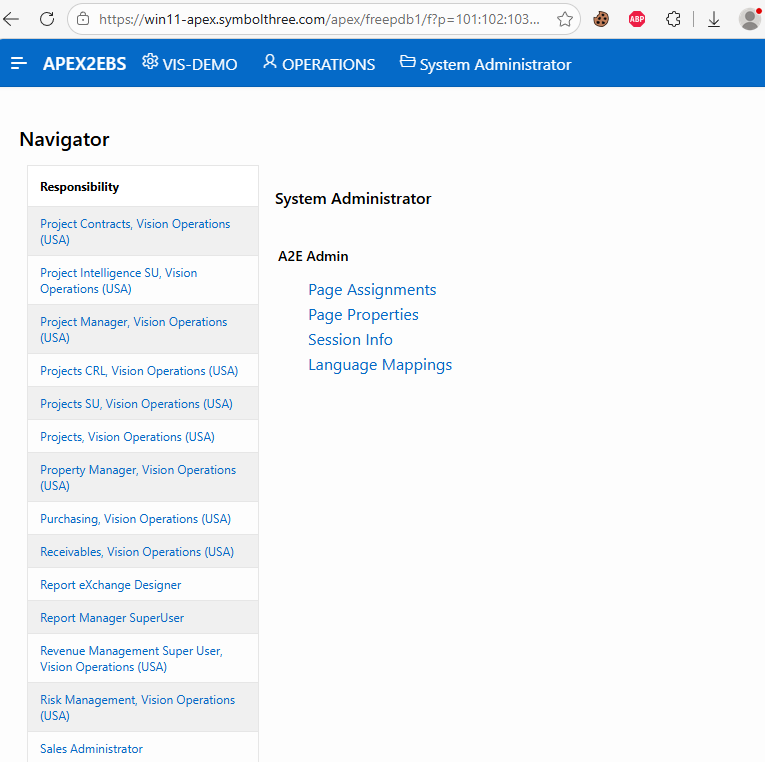
The Navigator Page consists of 3 parts:
TOP It has the Profile Name, User name, and the selected Responsibility.
LEFT A list of responsibility of that user. It should be the same as in EBS.
RIGHT A list of APEX pages that the selected responsibility and user has privileges to access.
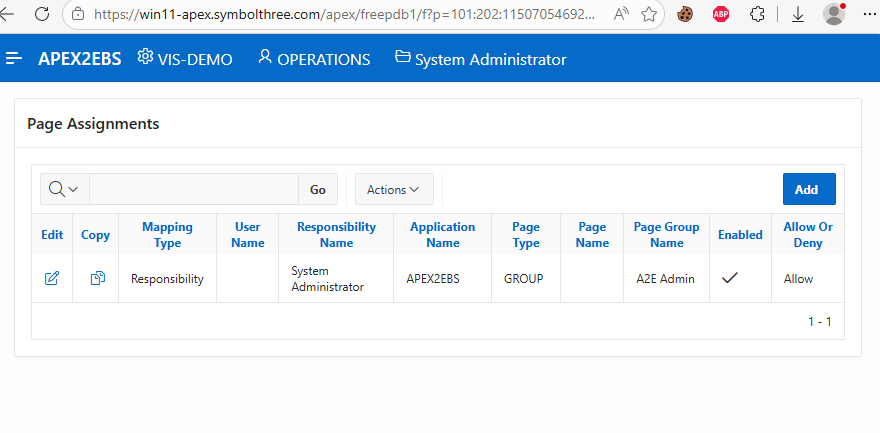
During initial setup, the responsibility System Administrator is used to have the access of the pages assigned to group
A2E Admin.The
Page AssignmentsPage
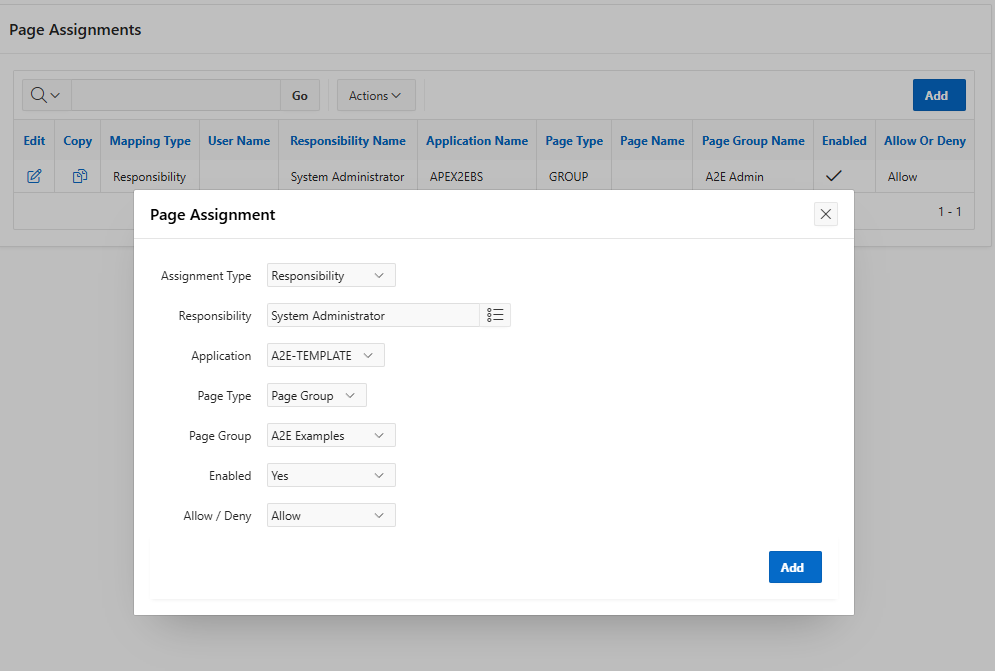
To add the example pages to the System Administrator, add this assignment mapping as shown below:
Then, the
A2E ExamplePages are shown on the Navigator page.
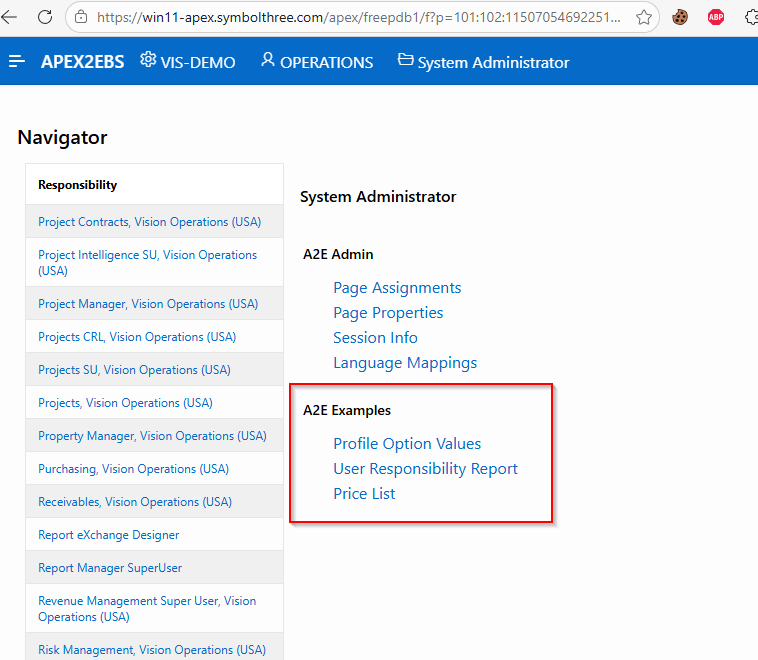
Assuming that we want to hide the
Price Listpage in theA2E Examplesgroup.Use the
Page PropertiesPage, and change theHiddenoption to Yes. In this way thePrice Listpage will not be shown in ALL situations.
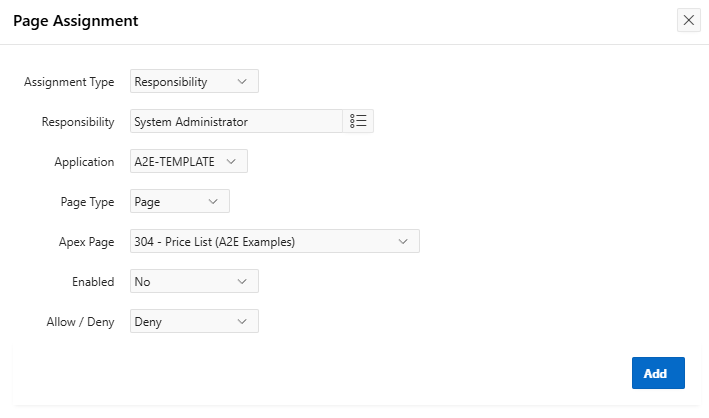
Use the
Page AssignmentsPage, create a new mapping as follows. Set theEnabledflag to No can take the precedent. In this case,this Price List page will be hidden underSystem Administratorresponsibility ONLY .
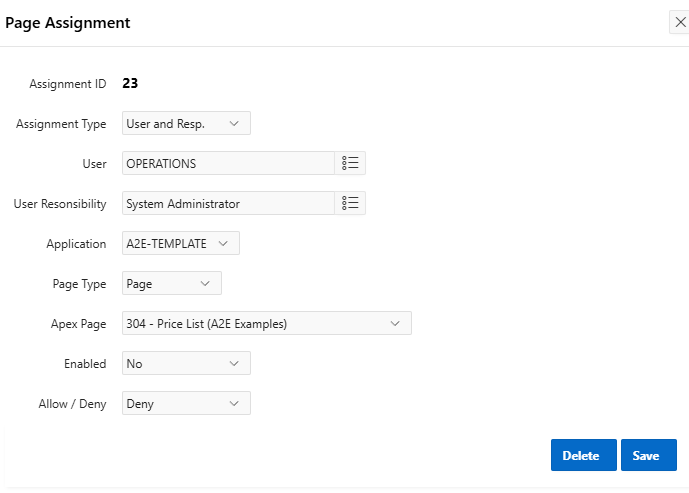
Another way is to set the Enabled flag to No under User-Responsibility level. In this case ONLY this combination will make this page hidden.
| Table of Content | Next |
| Home | Repositories | Blog |
© 2026 by Christopher Ho. All Rights Reserved