Integrate Oracle E-Business Suite Release 12.2 With Oracle APEX
APEX2EBS - Part 6
EBS Configuration for APEX Access
You can access APEX2EBS from Oracle EBS by custom menu function. The integration requires three parts:
Profile Option FND: APEX URL
Custom JSP A2E.jsp, located in
$OA_HTMLCustom menu function attached to a responsibility
Note
The configuration details is in Part 1.
The Form Function must use type
SSWA jsp function. You can use eitherParametersorHTML Calland to construct the syntax:A2E.jsp?app=[ID or Alias]&page=[page ID or Alias]&debug=N&window=NEW
Function Name User Function Name Type HTML Call Parameters A2E_PRICE_LISTS A2E Price List Details SSWA jsp function A2E.jsp app=A2E-EXAMPLES&page=304&debug=N&window=NEW A2E_PROFILE_OPTION_VALUES A2E Profile Option Values SSWA jsp function A2E.jsp app=A2E-EXAMPLES&page=301&debug=N&window=NEW A2E_ROLE_PAGE_MAPPING A2E Role Page Mapping SSWA jsp function A2E.jsp?app=APEX2EBS&page=202 A2E_ROLE_PAGE_PROPERTIES A2E Role Page Properties SSWA jsp function A2E.jsp?app=APEX2EBS&page=204 A2E_USER_RESP_REPORT A2E User Responsibility Report SSWA jsp function A2E.jsp app=A2E-EXAMPLES&page=302&debug=N&window=NEW Assign these Function to a new or existing Menu
When this function is invoked from a menu, it will use the
A2E.jsp. Both parameters app and page are passed to construct a URL which take the Profile Option for APEX server location.The
debugandwindowsparameters are optional.debug=Ywill show a transition pages which contains all passing parameterswindow=NEWwill open the APEX page in a new browser.
A new menu is created and add these functions to it. Then assign this menu to the one used for
System Administratorresponsibility
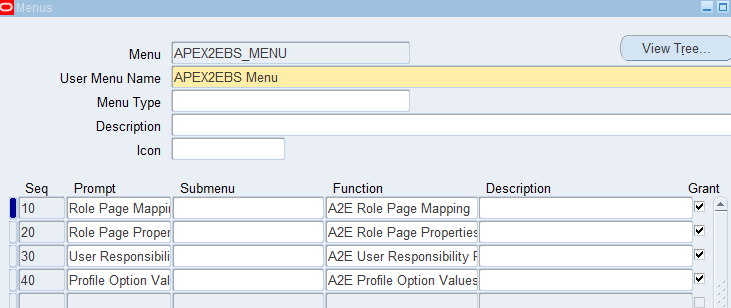
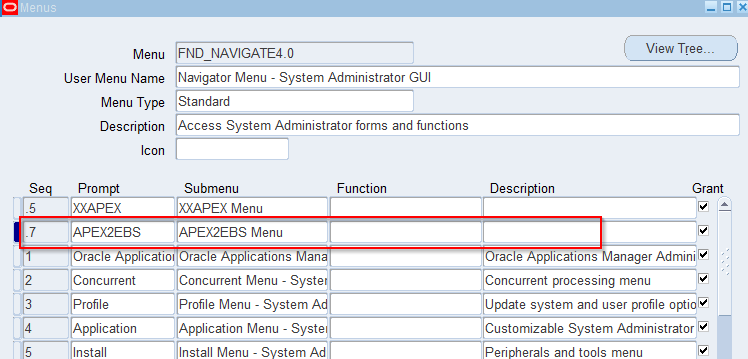
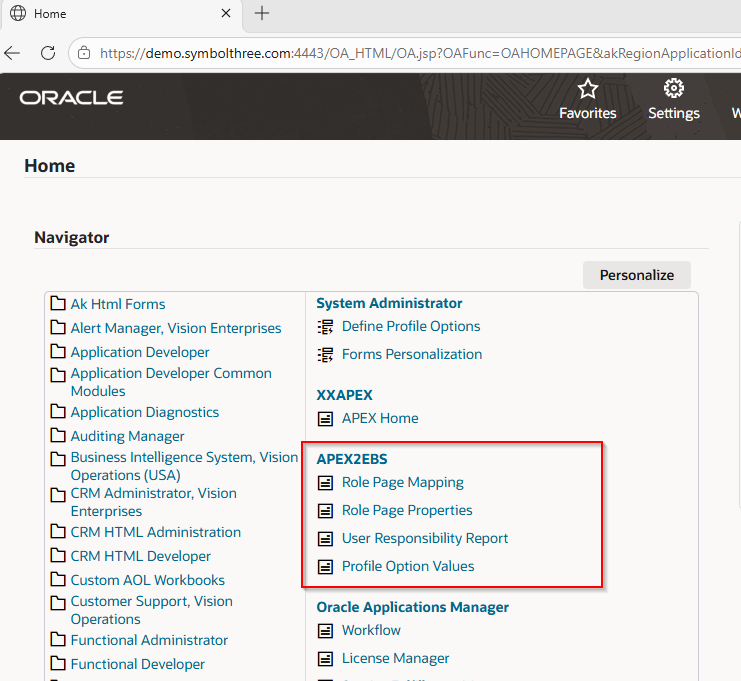
Now the menu items are shown in the Navigator.
The same EBS user and responsibility are used to open up the target page in APEX side. A new navigation link
Back to EBSis added if the APEX page is opened from EBS side. This link will go back to the EBS home page.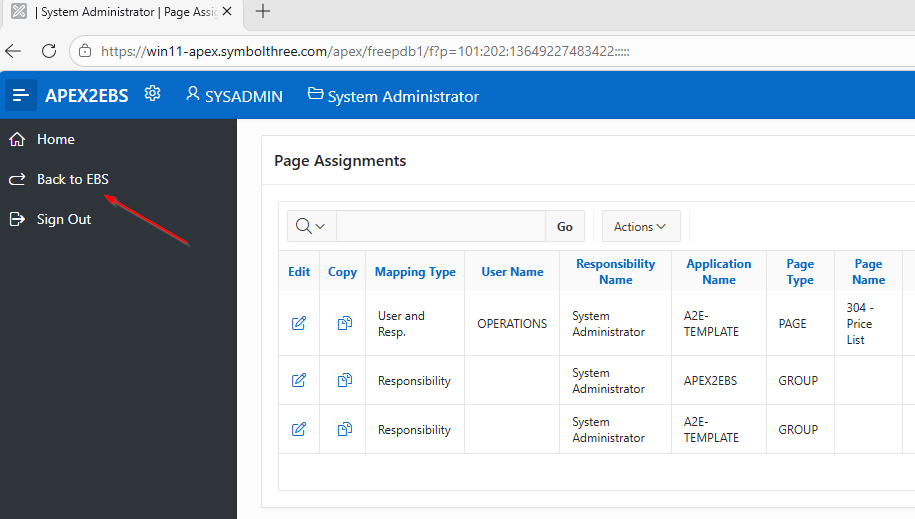
| Table of Content | Next |
| Home | Repositories | Blog |
© 2026 by Christopher Ho. All Rights Reserved