Oracle Method - Part 3
Create Workspace and Install Application
In the EBS side, use the script
apex_ebs_setup.sqlto create necessary functions and views for APEX use.Run
sqlplus apps/[appspwd] @apex_ebs_setup.sql. It will ask for the APEX Schema Name, enterXXAPEX
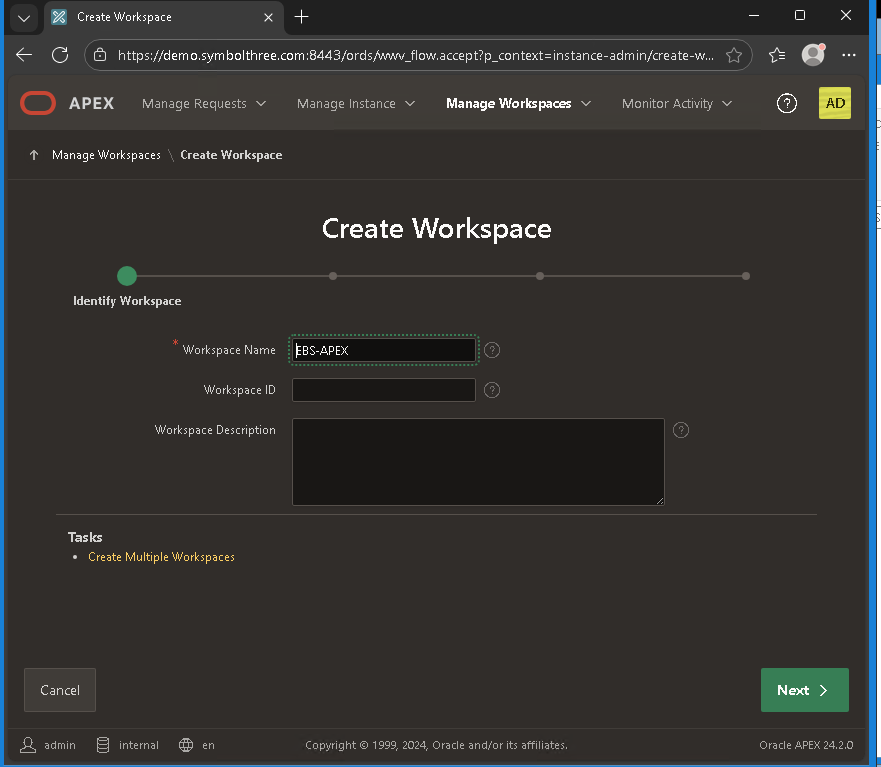
In APEX, create new workspace called "APEX-EBS"
Open Oracle APEX login page
https://[EBS URL]:8443/ords/r/apex/workspace-sign-in/oracle-apex-sign-in
Workspace =
INTERNAL, Username=ADMIN, Password=Welcome!23Navigate to Manage Workspaces and click Create Workspace
Enter the Workspace name
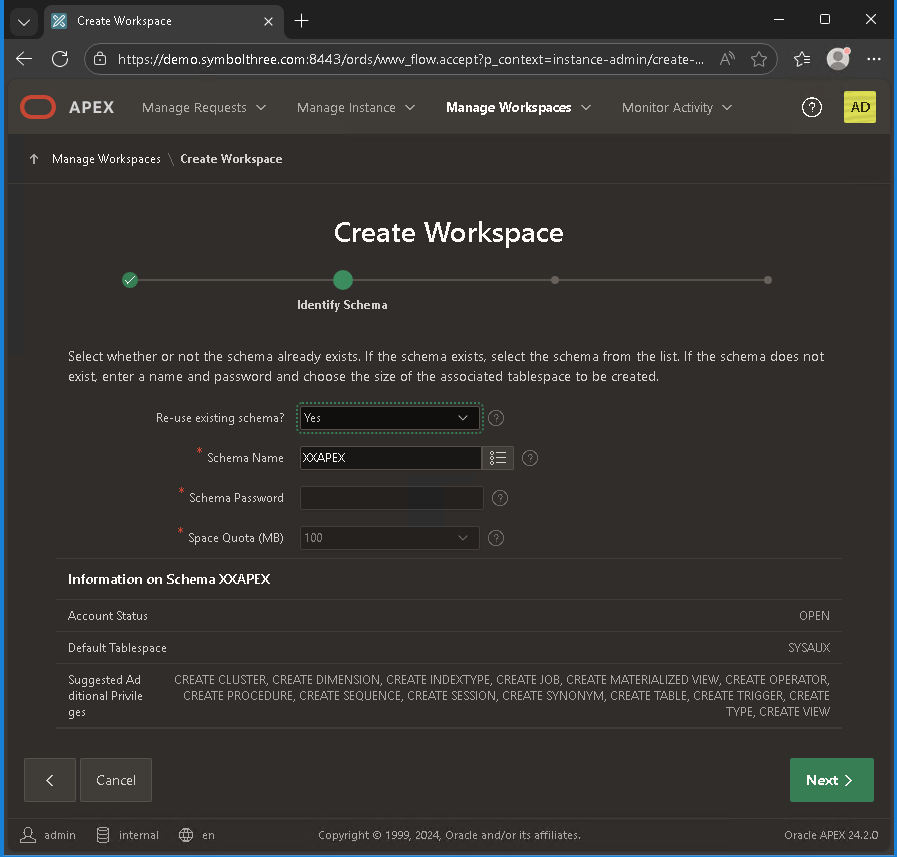
EBS-APEXand click NextIn the Re-use Existing Schema field, select Yes
In the Schema Name field, enter
XXAPEX. Click NextEnter the following values and then click Next:
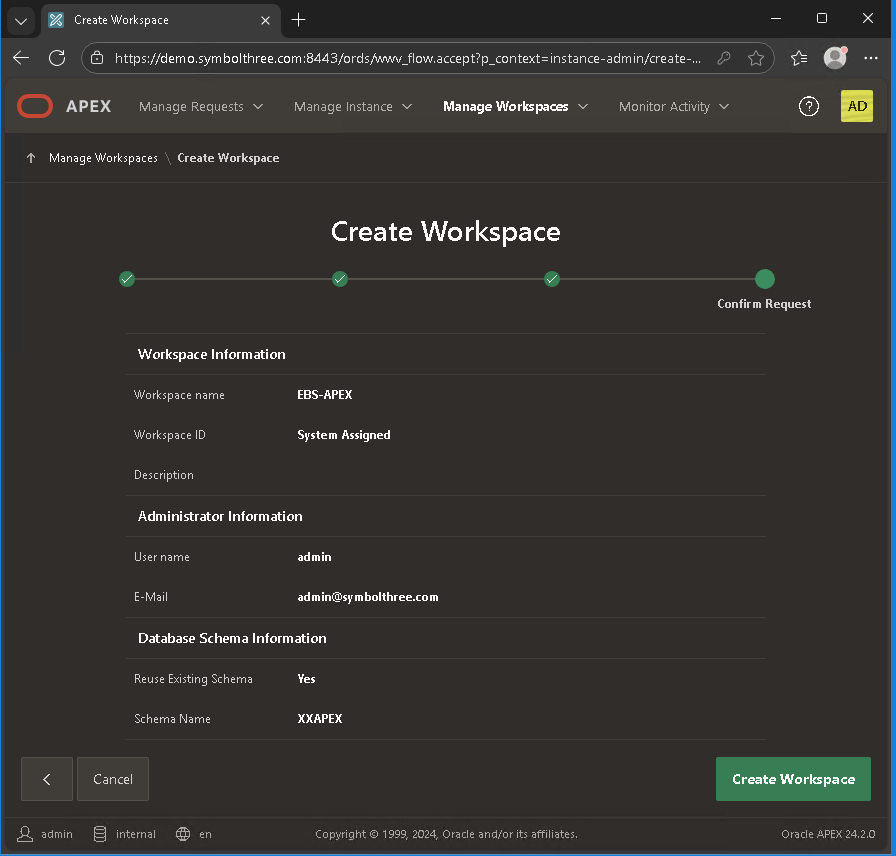
a. Administrator User name: ADMIN
b. Administrator Password: (one time password, will be asked to reset in first login)
c. E-mail
Click Create Workspace and then click Done.
Logout from admin.
Create new APEX application for EBS use
Go to APEX login page again
https://[EBS URL]:8443/ords/r/apex/workspace-sign-in/oracle-apex-sign-in
Workspace =
EBS-APEX, Username=ADMIN, Password=(one time password assigned above)After reset the password and land on the home page, go to App Builder
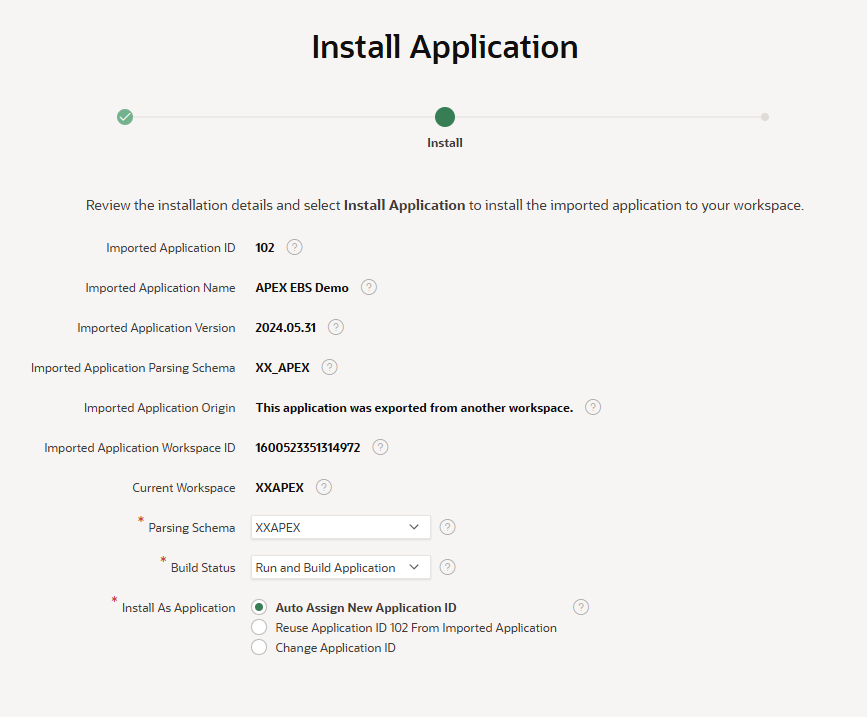
Select "Import", and drag and Drop the file
apex_ebs_extension.sqlImport Application.
Edit Application, Refresh Theme
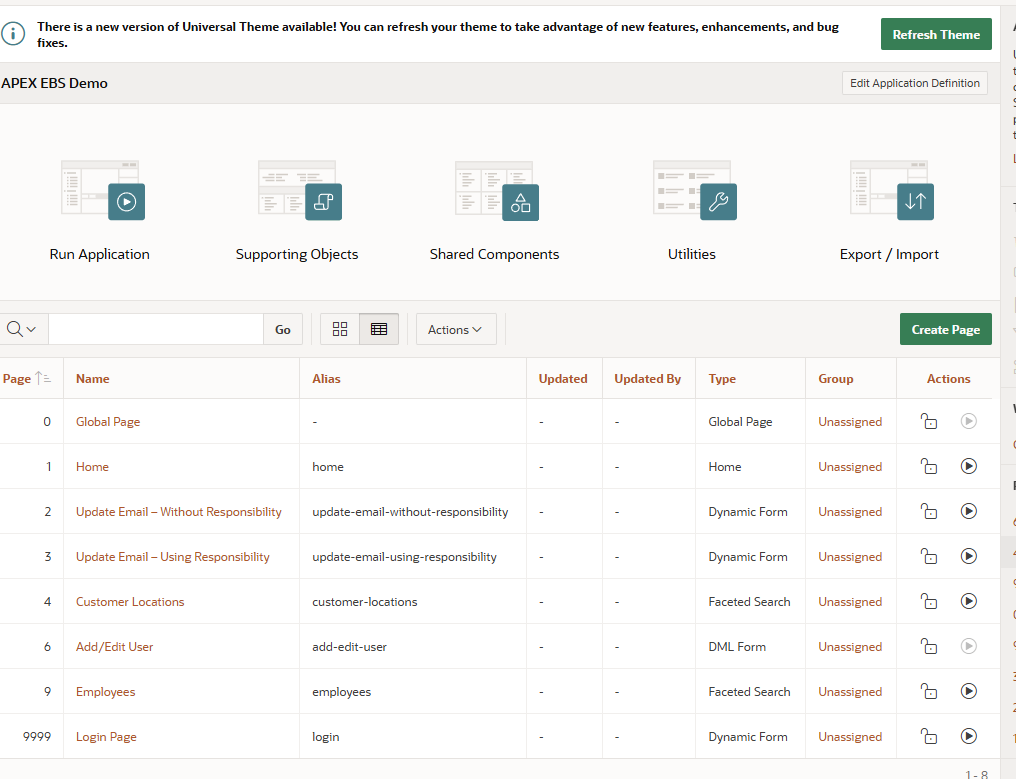
Check and change applications settings:
Shared components -> Security -> Authentication Schema -> FND_APEX_AUTHENTICATION
Sentry Function Name =
apps.fnd_apex.authentication
Shared components -> Security -> Authorization Schemes -> FND_APEX_AUTHORIZATION
Authorization Scheme
beginreturn apps.fnd_apex.authorization;end;
Shared components -> User Interface -> User Interface Attributes -> Attributes
Home URL
f?p=&APP_ID.:1:&SESSION.Login URL
/OA_HTML/AppsLoginChange the Login URL to
https://[EBS URL]:4443/OA_HTML/AppsLogin
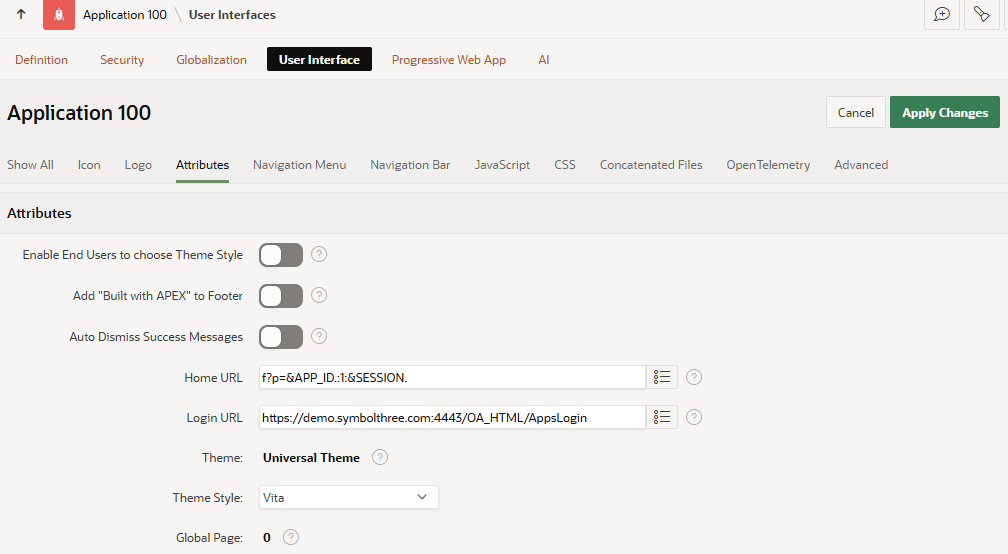
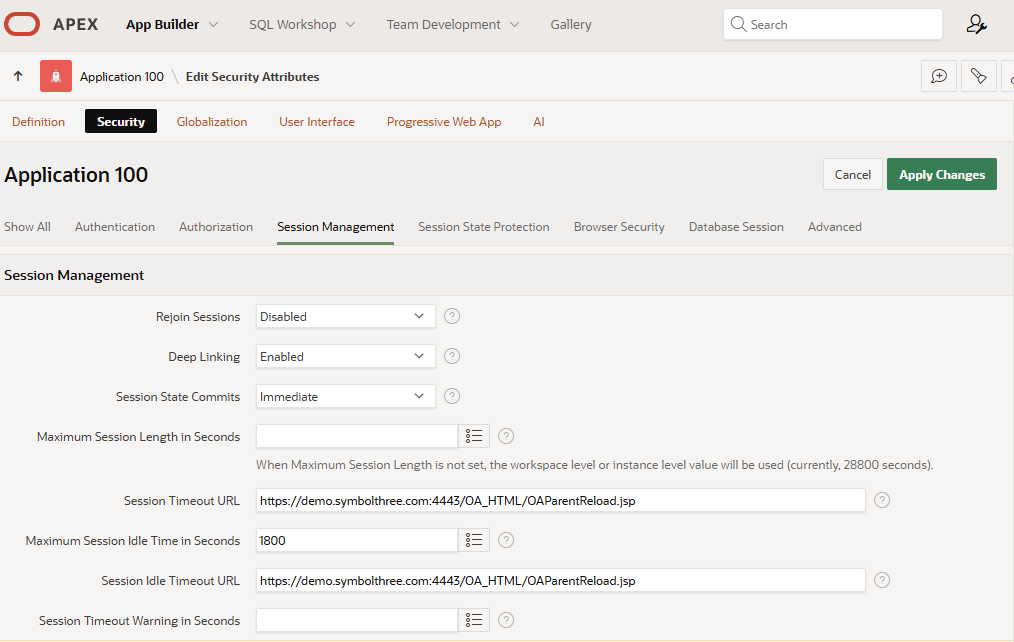
Shared components -> Security -> Security Attributes -> Session Management
Deep Linking: Enabled
Session Timeout URL:
https://[EBS URL]:4443/OA_HTML/OAParentReload.jspMaximum Session Idle Time in Seconds: (same as profile option
ICX: Session Timeout Valuevalue)The EBS value is in minutes, in APEX this value is in seconds.
Session Idle Timeout URL:
https://[EBS URL]:4443/OA_HTML/OAParentReload.jsp
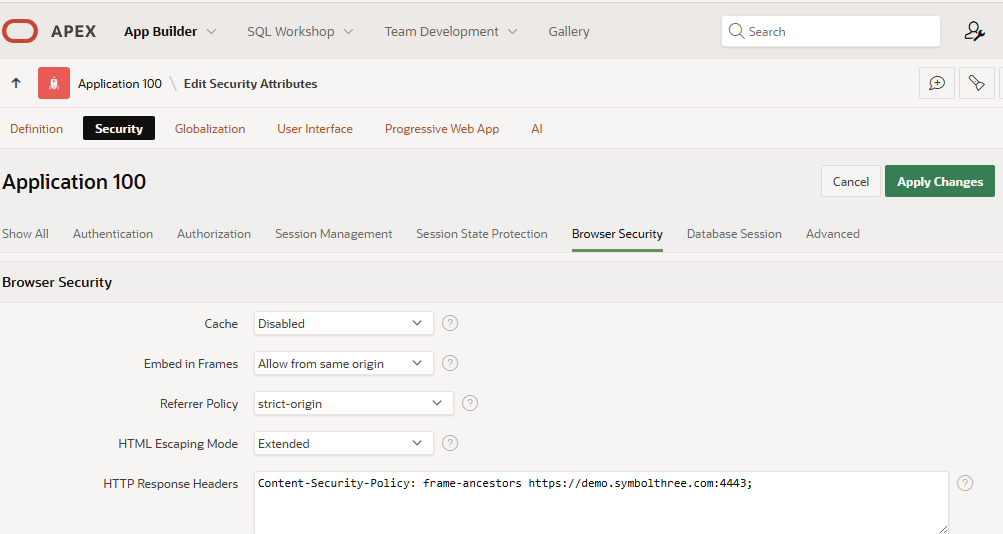
Shared components -> Security -> Security Attributes -> Browser Security
HTTP Response Headers:
Content-Security-Policy: frame-ancestors https://[EBS URL]:4443;This setting is required for page is accessed using
Embeddedlayout
Shared components -> Application Logic -> Application Items
Add a new item
EBS_LANG_CODE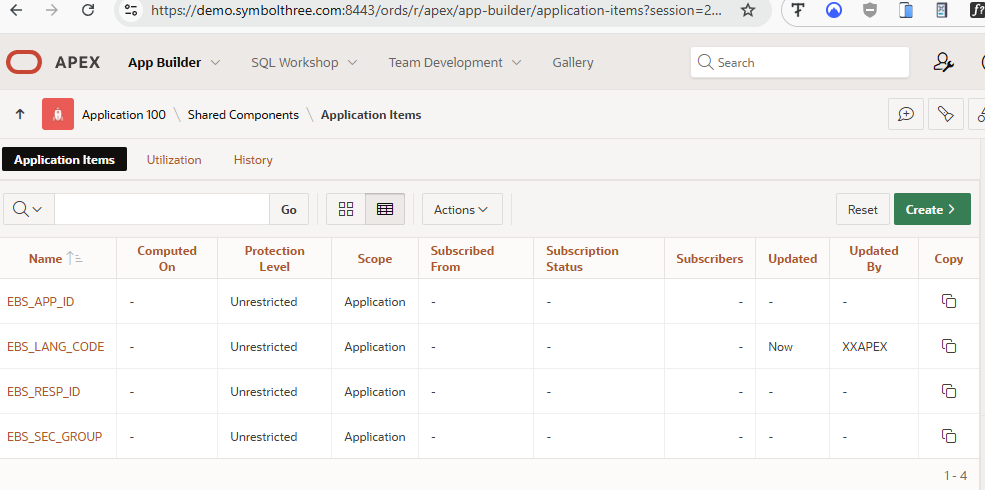
Go back to App Builder, select Page 1
Home. Change thePage Access ProtectiontoUnstricted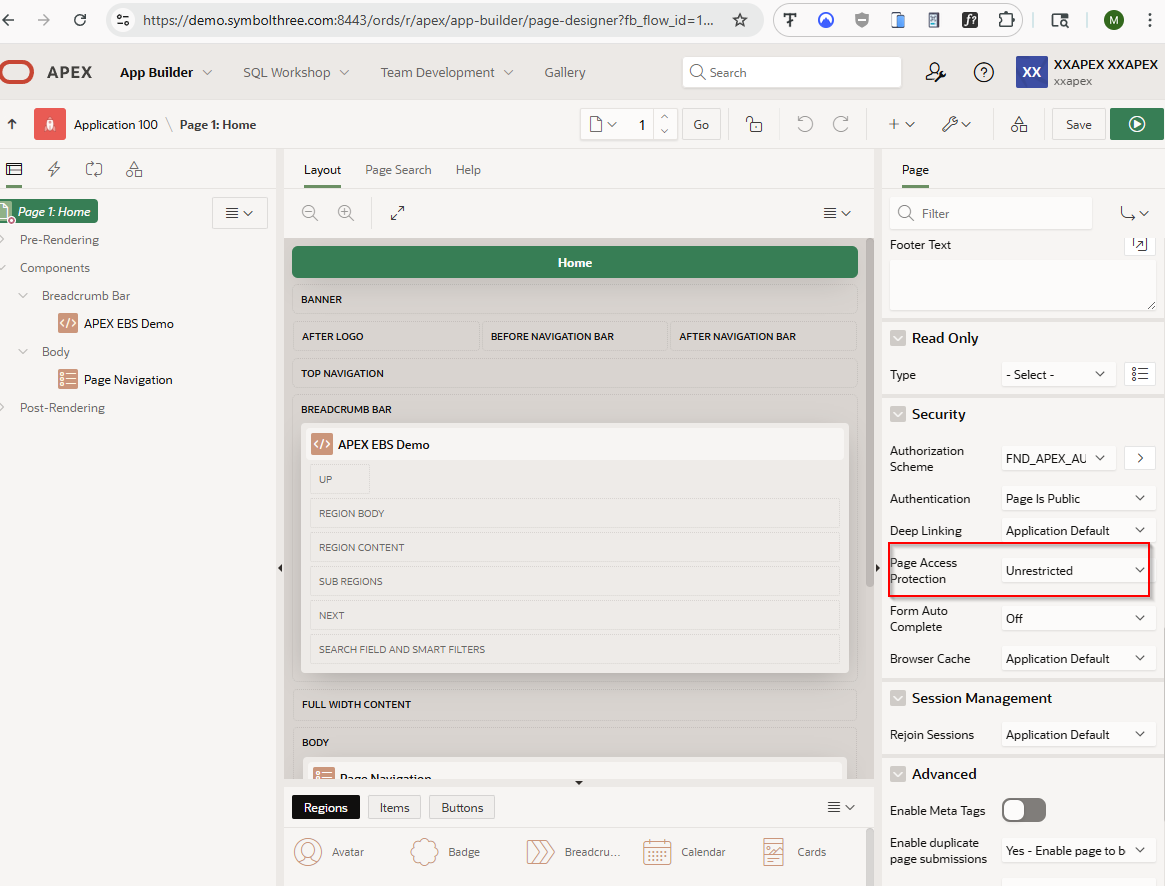
| Table of Content | Next |
| Home | Repositories | Blog |
© 2026 by Christopher Ho. All Rights Reserved