Oracle Fusion Applications 11.1.9.2.0 Installation
3. Installation ‐ FADB ‐ Part 1
The VM FADB hosts the database for both IDM and Fusion Application.
Database itself is not OS-specific; so I choose
Windows 2008 R2 x64,Oracle database 11gR2 x64.In the Download section, unzip the database 11.2.4 installation archives and use these settings:
Install Enterprise Edition
Installation Option =
select database software onlyGrid Installation Option =
Single InstanceDatabase Edition =
Enterprise Edition
Get latest OPatch from Metalink
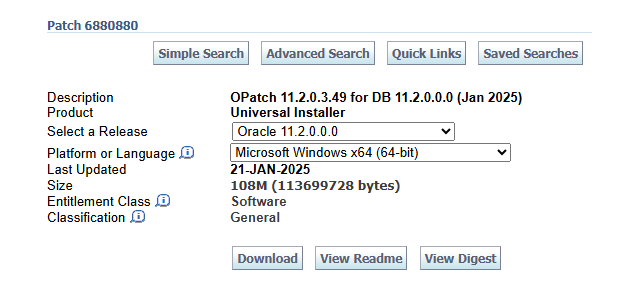
Patch 6880880: OPatch 11.2.0.3.49 for DB 11.2.0.0.0 (Jan 2025) (https://updates.oracle.com/download/6880880.html)
Unzip it to Oracle database install directory e.g.
C:\app\Administrator\product\11.2.0\dbhome_1\Use
OPatchto apply the latest 11gR2 patch31659823Install Microsoft Visual C++ 2005 Service Pack 1 Redistributable Package MFC Security Update (https://www.microsoft.com/en-us/download/details.aspx?id=26347)
Run
C:\app\Administrator\product\11.2.0\dbhome_1\BIN\dbca.batto create a new database namedFADB:Password for
SYSandSYSTEMisWelcome1Character Sets =
AL32UTF8Set Memory Size (SGA and PFA) to 8000 MB
Run
netcato create new listener, and add new Local Net Service NameFADB.Start SQLPlus and run these statements:
xsqlplus / as sysdba-- Clean up obsoleted schemadrop user FLOWS_FILES cascade;drop user APEX_PUBLIC_USER cascade;drop user APEX_030200 cascade;-- IDM prereq@$ORACLE_HOME/rdbms/admin/xaview.sqlGRANT EXECUTE ON sys.dbms_job TO PUBLIC;GRANT EXECUTE ON dbms_reputil TO PUBLIC;-- set password will not expireALTER PROFILE DEFAULT LIMIT PASSWORD_LIFE_TIME UNLIMITED;ALTER PROFILE DEFAULT LIMIT PASSWORD_LOCK_TIME UNLIMITED;ALTER PROFILE DEFAULT LIMIT PASSWORD_GRACE_TIME UNLIMITED;ALTER PROFILE DEFAULT LIMIT FAILED_LOGIN_ATTEMPTS UNLIMITED;-- FA prepreqALTER SYSTEM SET "_fix_control"='5483301:off';ALTER SYSTEM SET db_securefile = 'ALWAYS';ALTER SYSTEM SET "_b_tree_bitmap_plans"=FALSE SCOPE=SPFILE;ALTER SYSTEM SET audit_trail=NONE scope=spfile;ALTER SYSTEM SET NLS_SORT=BINARY scope=spfile;ALTER SYSTEM SET plsql_code_type = 'NATIVE' SCOPE=BOTH;ALTER SYSTEM SET OPEN_CURSORS=800 SCOPE=spfile;ALTER SYSTEM SET PROCESSES=800 scope=SPFILE;ALTER SYSTEM SET session_cached_cursors=500 scope=spfile;ALTER SYSTEM SET "_active_session_legacy_behavior" = true;
Bounce the database
Create these folders for FA datapump seed data:
xxxxxxxxxxmkdir C:\FUSION\DATADUMPmkdir C:\FUSION\APPLCPmkdir C:\FUSION\APPLLOGmkdir C:\FUSION\OBIEEBKP
| Table of Content | Next |
| Home | Repositories | Blog |
© 2026 by Christopher Ho. All Rights Reserved