Oracle Fusion Applications 11.1.9.2.0 Installation
3. Installation ‐ FADB ‐ Part 2
IDM Repository Creation Utility (RCU)
Unzip IDM Repository Creation Utility
From the staging folder, transfer the file
installers/fmw_rcu/windows/rcuHome.ziptoFADBUnzip the archive and put the RCU file to
C:\RCU\IDM:
unzip
<STAGE>\installers\fmw_rcu\windows\rcuHome.zip -d C:\RCU\IDM
Run IDM Repository Creation Utility
Run
C:\RCU\IDM\BIN\rcu.bat
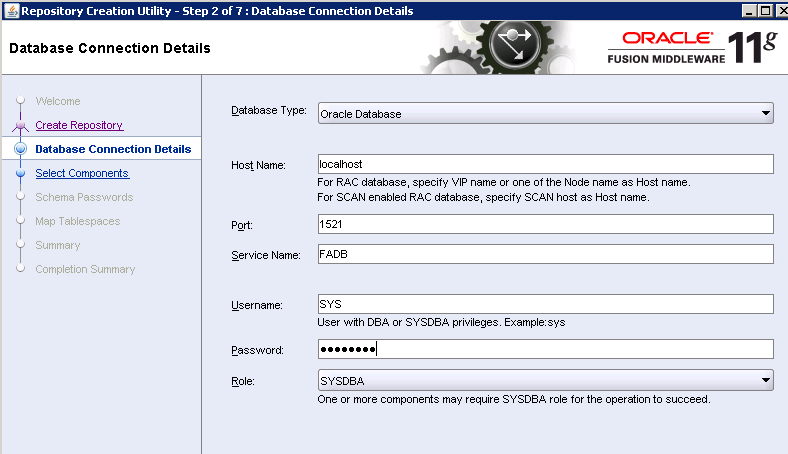
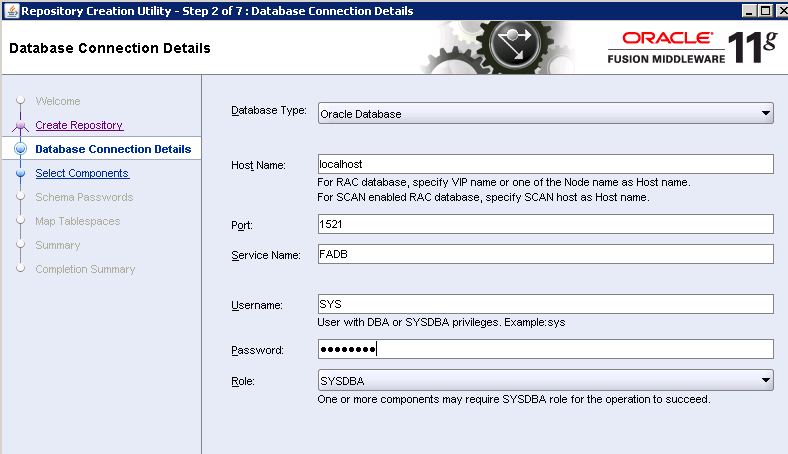
Enter database info
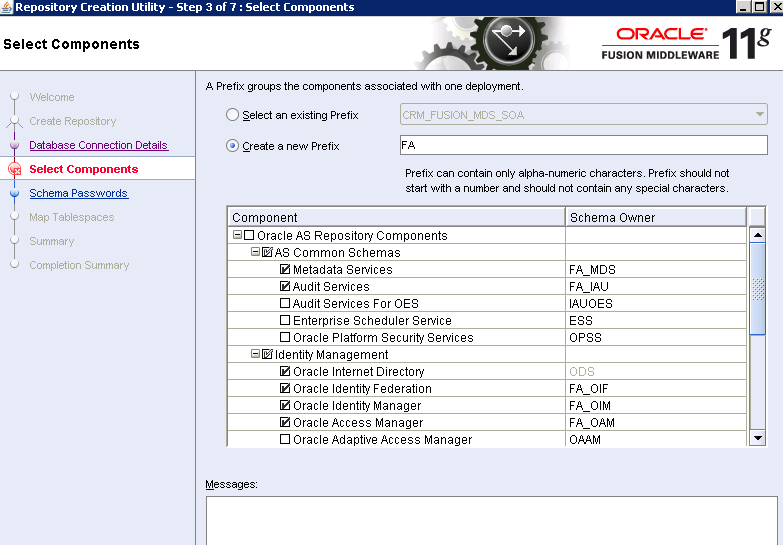
Create a new prefix
FA, and select these components:
xxxxxxxxxxAS Common Schemas- Metadata Services- Audit ServicesIdentity Management- Oracle Internet Directory- Oracle Identity Federation- Oracle Internet Manager- Oracle Access ManagerSOA and BPM Infrastructure- SOA Infrastructure- User Messaging Service
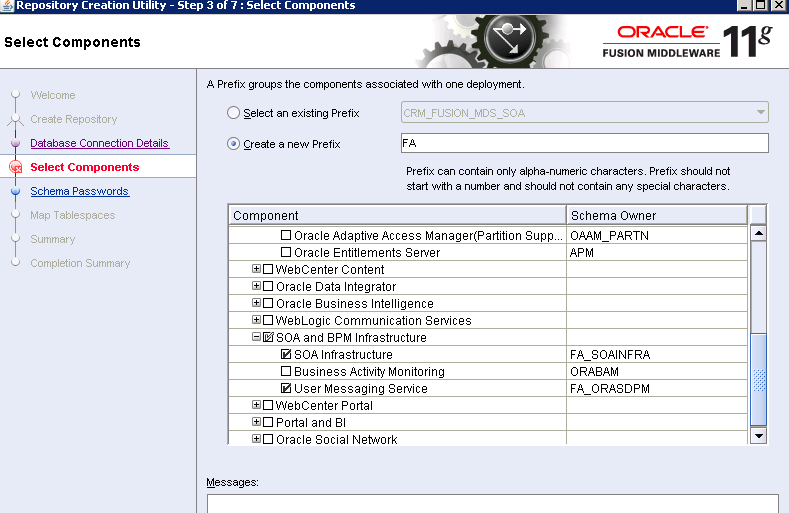
User
Welcome1as the password for all schemas
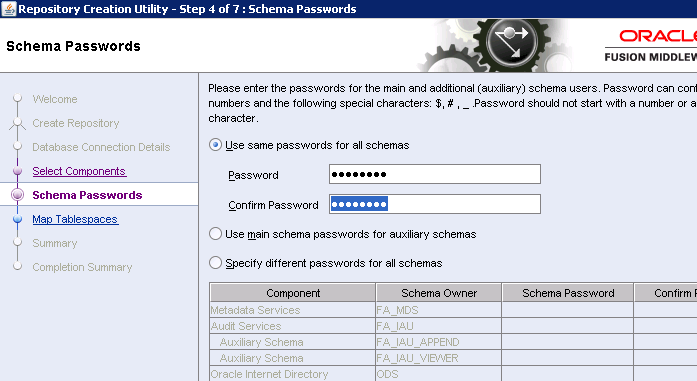
Continue to add new tablespaces and database schema as specified above
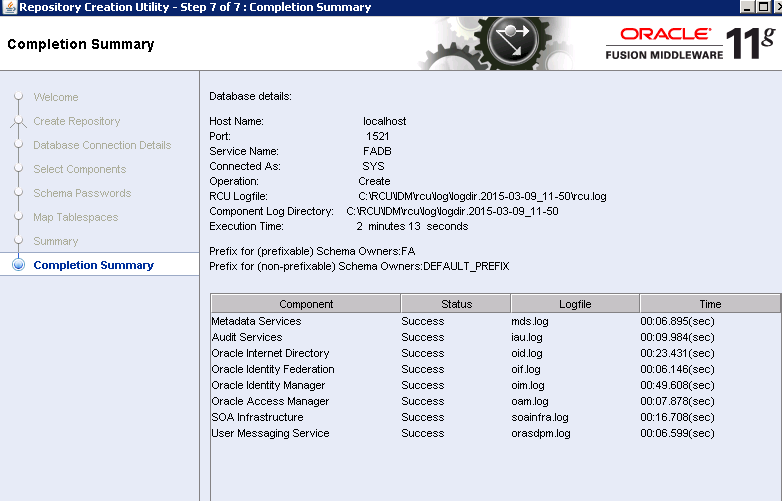
After 2-3 mins, all schema creations are completed.
FA DATABASE (RCU)
Install Apps Repository Creation Utility (RCU)
From the staging folder, transfer the file
installers/apps_rcu\windows\rcuHome_fusionapps_win.ziptoFADBUnzip the archive and put the RCU file to
C:\RCU\FA:
unzip rcuHome_fusionapps_win.zip -d C:\RCU\FA
Prepare DB Dump Files
The seed data is loaded to database through datapump process. We extract these files from RCU folder to folder
C:\FUSION\DATADUMP.
unzip C:\RCU\FA\rcu\integration\fusionapps\export_fusionapps_dbinstall.zip -d C:\FUSION\DATADUMP
copy C:\RCU\FA\rcu\integration\biapps\schema\otbi.dmp C:\FUSION\DATADUMP
Relax pre-requisite:
Edit
C:\RCU\FA\rcu\integration\fusionapps\fusionapps.xmlto by-pass memory requirements. Search for the wordspga_aggregate_targetandsga_target, change the SQL to make the lower limit to zero:
xxxxxxxxxx<ValidIf DBTYPE="ORACLE"/><PrereqIdentifier>processes</PrereqIdentifier><PrereqValue>500</PrereqValue><PrereqIdentifier>select count(*) from v$parameter where name = 'pga_aggregate_target' and to_number(regexp_substr(value,'[0-9]+')) between **0** and 8589934592-1</PrereqIdentifier><PrereqValue>0</PrereqValue><PrereqIdentifier>select count(*) from v$parameter where name = 'sga_target' and to_number(regexp_substr(value,'[0-9]+')) between **0** and 19327352832-1</PrereqIdentifier>
Running Applications Repository Creation Utility
Run
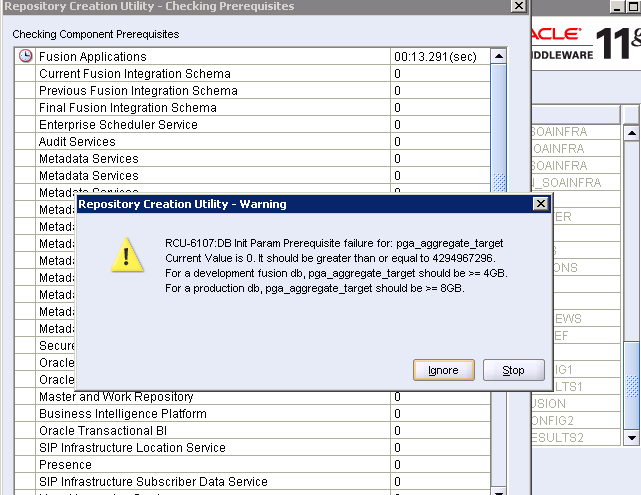
C:\RCU\FA\BIN\RCU.batIgnore errors in prereq check:
Use
Welcome1for all schemas
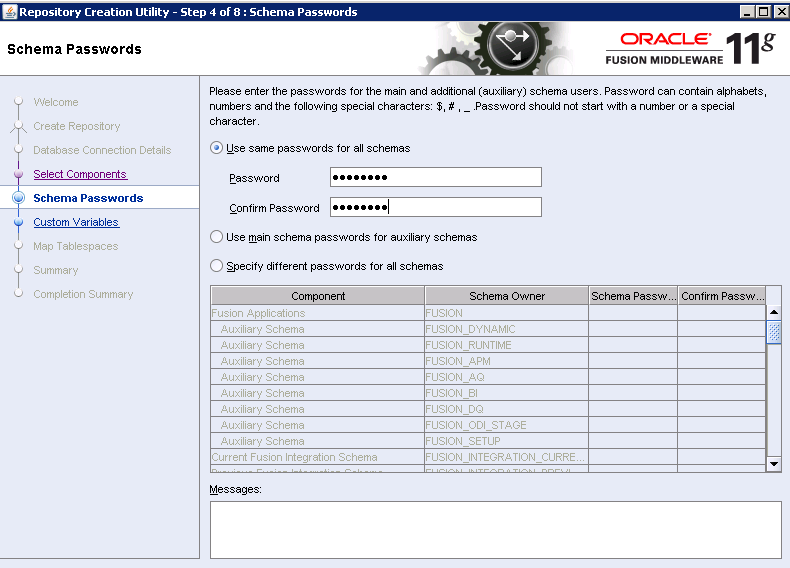
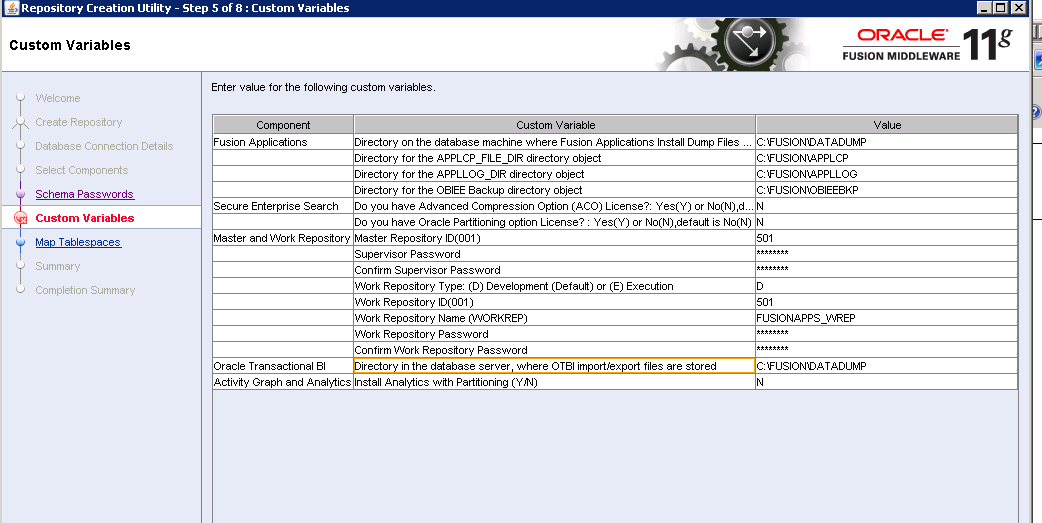
Use these settings:
| Custom Variable | Value |
|---|---|
| Directory on the database machine where Fusion Applications Install Dump Files ... | C:\FUSION\DATADUMP |
| Directory for the APPLCP_FILE_DIR directory object | C:\FUSION\APPLCP |
| Directory for the APPLLOG_DIR directory object | C:\FUSION\APPLLOG |
| Directory for the OB1EE Backup directory object | C:\FUSION\OBIEEBKP |
| Do you have Advanced Compression Option (ACO) License?: Yes(Y) or No(N),d... | N |
| Do you have Oracle Partitioning option License? : Yes(Y) or No(N) .default is No(N) | N |
| Master Repository ID(001) | 501 |
| Supervisor Password | Welcome1 |
| Confirm Supervisor Password | Welcome1 |
| Work Repository Type: (D) Development (Default) or (E) Execution | D |
| Work Repository ID(001) | 501 |
| Work Repository Name (WORKREP) | FUSION.APPS_WREP |
| Work Repository Password | Welcome1 |
| Confirm Work Repository Password | Welcome1 |
| Directory in the database server, where OTBI import/export files are stored | C:\FUSION\DATADUMP |
| Install Analytics with Partitioning (Y/N) | N |
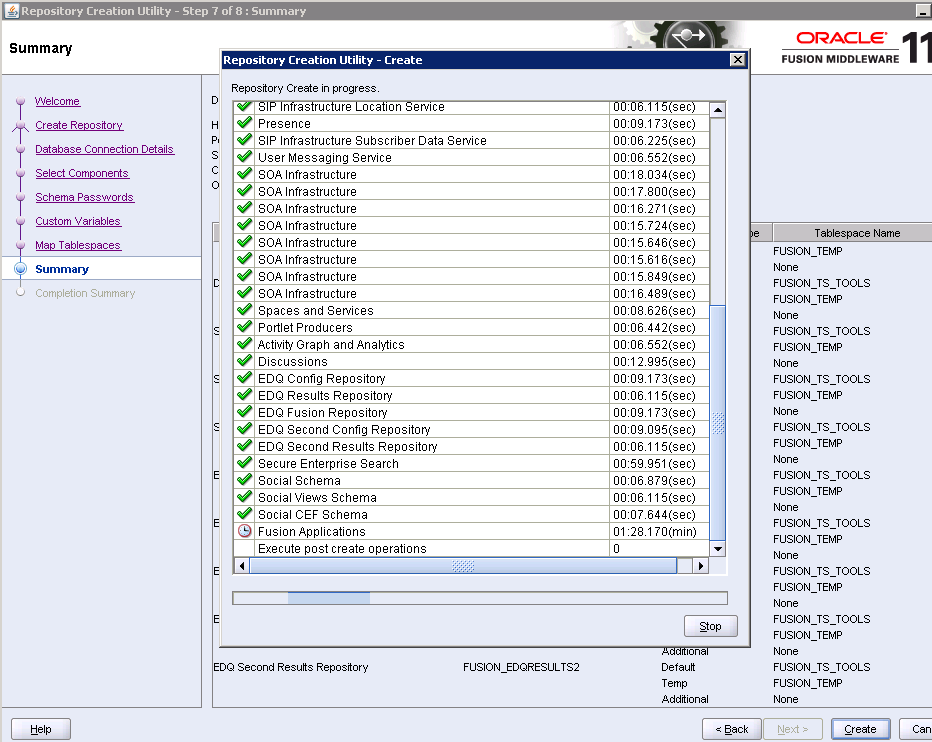
New tablespaces and schemas are created, and then datapump files are loaded. The process could take abour 1 hr.
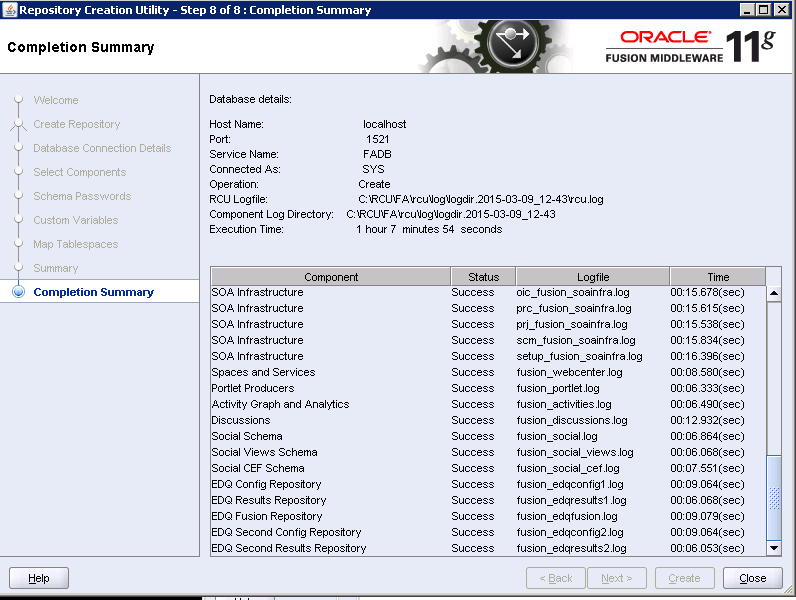
In Completion Summary, in case of any error, uncheck "Cleanup for failed components" and just close the program.
| Table of Content | Next |
| Home | Repositories | Blog |
© 2026 by Christopher Ho. All Rights Reserved